Every 39 seconds, a cyberattack takes place somewhere in the world.
In 2026, this risk doesn’t stop at your office network. It’s ever-present in the cloud where your data, applications, and operations now run.
Many organizations assume that once they move to Azure, security will come by default. In reality, however, Microsoft secures the infrastructure, but protecting what runs inside it is still your responsibility. In fact, most breaches happen in this gap.
That’s exactly why following structured Azure cloud security best practices matters.
Without the right policies, identity controls, and monitoring in place, even a well-built environment can expose sensitive workloads and data. Robust cloud security best practices help plug these gaps and create consistent protection across your environment.
With this in mind, let’s walk through the nine essential Azure security best practices that can strengthen security in Azure and help organizations build a resilient cloud security posture.
9 Azure Cloud Security Best Practices to Follow in 2026
As more users, services, and data are added to the Azure ecosystem, the environment gives rise to potential security loopholes. The Azure cloud security best practices mentioned below present a starting point for stronger Azure cloud security.
1. Understand the Shared Responsibility Model in Azure
When companies move to Azure, many assume that Microsoft will take care of the security aspect. But while Microsoft does protect the infrastructure (data centers, hardware, and the core platform), securing all the components within your environment is your responsibility. This includes identities, access permissions, applications, and data protection.
Understanding this model can shape how teams approach security in Azure and build consistent security best practices across their environment.
2. Build a Strong Azure Cloud Security Architecture
Security in Azure works best when it is planned early rather than added later. Many teams deploy workloads first and then try to secure them, often inviting trouble. A well-designed Azure security architecture, however, reduces these risks from the start.
Good architecture is about structure: the ways in which resources connect, access flows, and data moves across the environment. When these pieces are planned carefully, teams find it much easier to maintain strong Azure security over time.
Key elements usually include:
- Network segmentation using virtual networks and subnets
- Clear identity and access policies tied to user roles
- Secure storage configurations and encryption controls
- Logging and monitoring across workloads and services
- Defined governance policies for resource deployment
A solid architecture also supports cloud application security best practices. Applications rely on the surrounding infrastructure to enforce policies, protect data, and control access. When the foundation is built correctly, security becomes easier to manage as the environment grows.
3. Strengthen Identity and Access Management
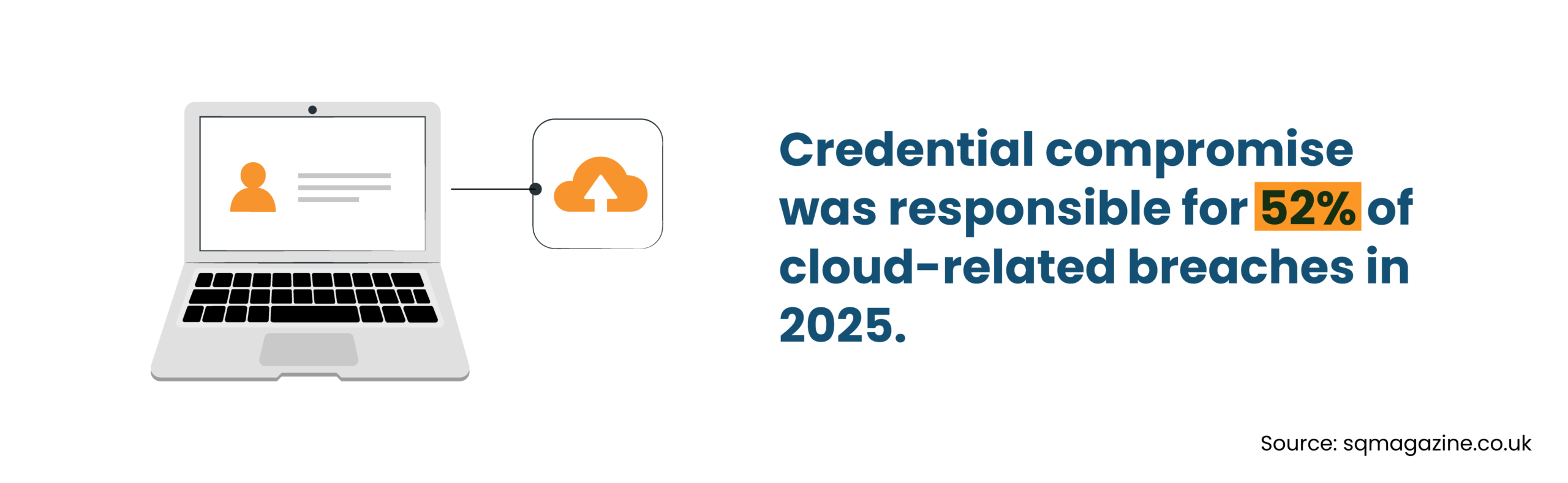
In most cloud breaches, attackers don’t exactly attack the IT infrastructure. They sign in. Stolen credentials and excessive permissions are common entry points, which is why identity protection is vital to ensuring Azure cloud security.
Azure Active Directory plays a major role here. It allows organizations to manage users, applications, and access policies from a single place while applying consistent security best practices.
A typical identity protection setup includes:
- Using Azure Active Directory for centralized identity management
- Applying role-based access control so users only access what they need
- Enabling multi-factor authentication to add another layer of verification
- Following the principle of least privilege to reduce unnecessary permissions
When identities are protected and access is controlled as standard Azure security best practices, organizations significantly reduce the risk of unauthorized entry into their cloud environment.
4. Secure Network Infrastructure in Azure
Here’s how most Azure environments typically grow: a few services go live, ports are opened for testing, and public access gets enabled for convenience. Months later, the same outdated settings still remain, introducing vulnerabilities.
Securing the network layer is a big part of improving security in Azure. The goal here is to limit what is visible to the outside world and control how traffic moves inside the environment.
Common Azure security best practices for network protection include:
- Using Network Security Groups to control inbound and outbound traffic
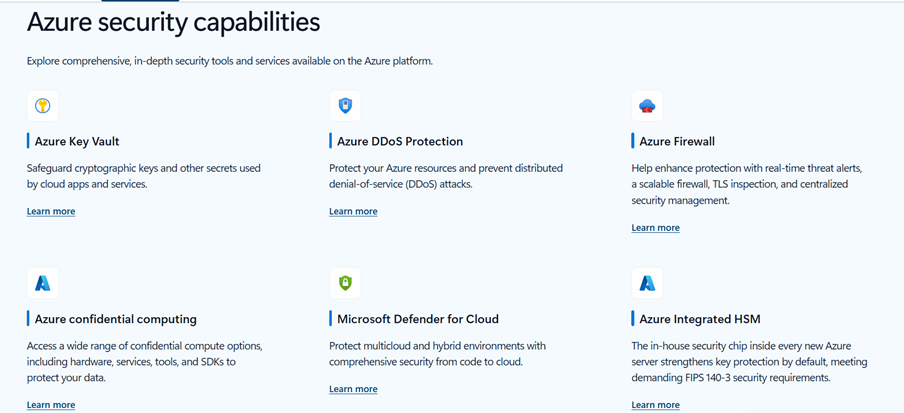
- Deploying Azure Firewall to filter and inspect network activity
- Reducing public IP exposure and restricting access to essential services
- Implementing private endpoints so services communicate within the Azure network
- Using VPN or private connectivity options to secure remote access
These steps form part of broader Azure security best practices. When network paths are tightly controlled, it becomes much harder for attackers to reach sensitive workloads or move laterally within the environment.
5. Protect Data with Encryption and Secure Storage
We know that data (customer records, internal documents, financial systems, application databases) is usually the real target for almost all cyber criminals. Once attackers reach this layer, the damage is already done.
In such cases, data should be encrypted both when at rest and while moving between services. This is a basic, but critical part of best practices for cloud security.
Organizations typically focus on a few key controls:
- Encrypting data at rest using Azure Storage encryption
- Encrypting data in transit with secure protocols such as HTTPS and TLS
- Storing sensitive keys, certificates, and secrets in Azure Key Vault
- Applying access policies to restrict who can retrieve those secrets
- Following consistent backup and retention policies for critical data
These steps support long-term cloud application security best practices. Applications rely on secure storage and protected encryption keys to keep sensitive data safe across the Azure environment.
6. Improve Application and Workload Security
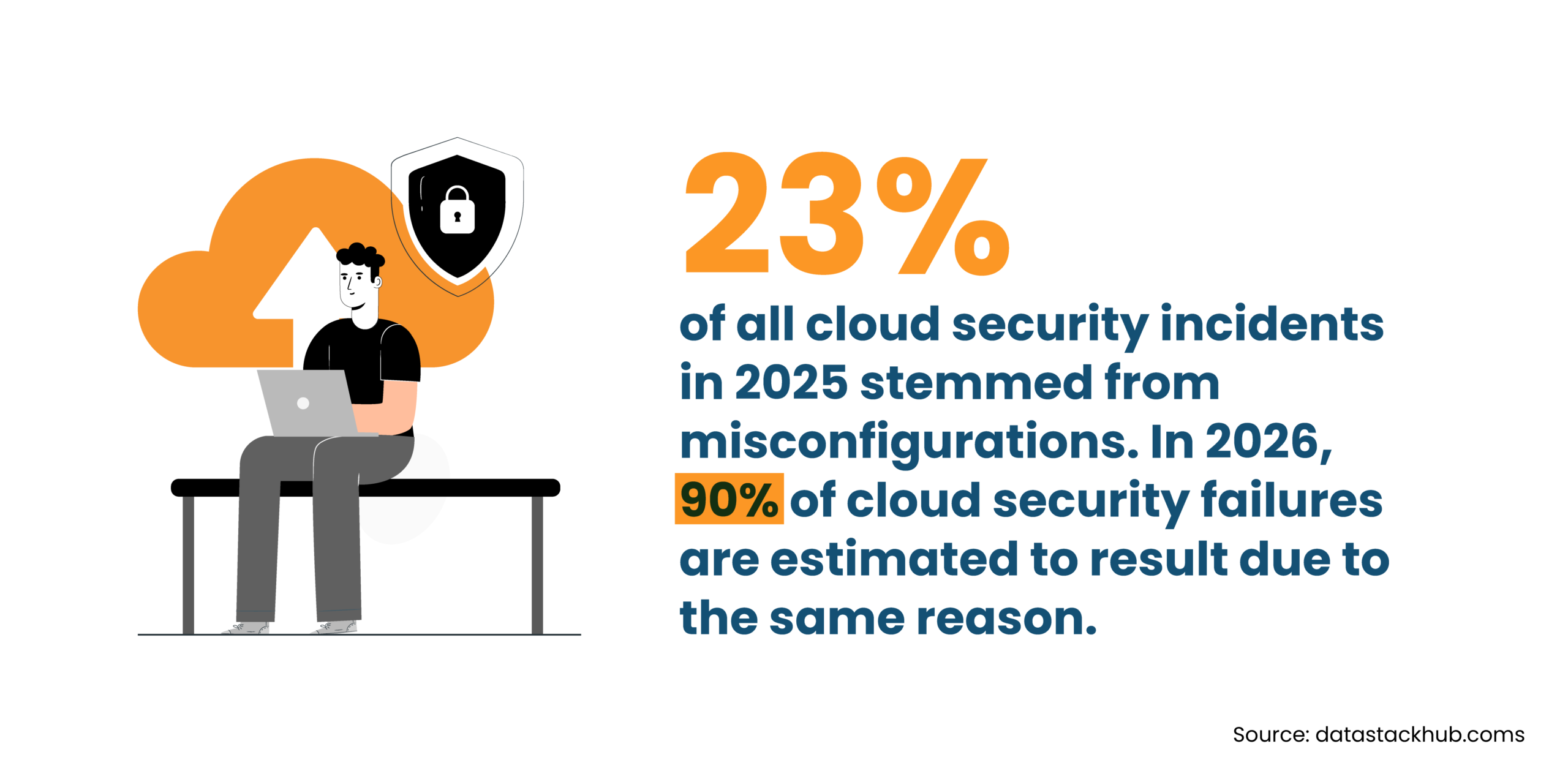
Most Azure workloads are not just servers, but also include APIs, web apps, and services that users interact with every day. This is where attackers often snoop around for weak spots, like a forgotten API endpoint or an unprotected login route, that can open the door.
In simple terms, protecting workloads means paying attention to how applications behave once they are live.
Teams usually focus on a few areas:
- Secure APIs that connect apps, services, and databases
- Use web application firewalls to filter malicious traffic
- Add threat protection to detect suspicious requests or unusual behavior
- Review application permissions and dependencies regularly
These steps align with common cloud application security best practices and support broader Azure best practices for security across production workloads.
7. Enable Monitoring and Threat Detection
In the ever-changing Azure environments, new resources can appear, users can sign in from different locations, and applications can generate activity around the clock. Monitoring is, therefore, critical.
Most teams rely on Azure tools to watch what is happening inside their environment. Logs, alerts, and activity reports help them notice problems early instead of discovering them after damage is done.
Typical monitoring practices include:
- Using Azure monitoring tools to track system and security events
- Setting alerts for unusual login attempts or configuration changes
- Reviewing logs to spot patterns that suggest suspicious activity
Ongoing monitoring must become a key part of maintaining solid Azure cloud security. It also reinforces several core cloud security best practices used to protect modern cloud environments.
8. Maintain Compliance and Governance
Many industries expect organizations to follow defined compliance standards when storing or processing data in the cloud. Fortunately, Azure includes governance tools that help teams stay aligned with rules concerning how resources are created, configured, and managed.
Common steps include:
- Reviewing Microsoft Azure security compliance requirements for your industry
- Using Azure Policy to enforce configuration rules across resources
- Applying governance controls to manage subscriptions and access
- Running regular audits to identify gaps or outdated configurations
These activities reinforce consistent security best practices and support stronger Azure cloud security over time.
9. Follow an Azure Security Best Practices Checklist
A typical Azure security best practices checklist includes:
- Identity and access protection with RBAC and multi-factor authentication
- Network protection using firewalls, private endpoints, and restricted public access
- Data encryption for storage, backups, and data transfers
- Monitoring, logging, and threat detection across workloads
- Governance and compliance reviews using Azure Policy and audits
Following this checklist supports consistent Azure best practices for security and helps maintain reliable protection across cloud environments.
How Secure Is Microsoft Azure?
It’s true that Azure has a strong security foundation. Microsoft runs highly controlled data centers, encrypts infrastructure, and builds in layers of threat detection and identity protection. But this doesn’t automatically secure your environment.
A typical Azure setup includes apps, virtual machines, databases, APIs, and user access points. Each one needs the right configuration. If permissions are too broad or services are exposed to the internet, risk creeps in quickly.
Teams that maintain strong Azure cloud security usually rely on constant visibility. Logs, alerts, and monitoring tools help them spot unusual activity early and stay aligned with practical cloud security best practices as their environment grows.
Secure Your Azure Environment Today
Partner with Infrassist to strengthen cloud security, manage risks, and keep your Azure infrastructure protected.
Conclusion
Running applications and workloads in the cloud does not alleviate security responsibility. It simply changes it. The Azure cloud security best practices discussed here, ranging from identity protection to network control and finally to encryption and monitoring, help bridge the security gaps where most cloud breaches occur.
If your team needs help designing or securing an Azure environment, Infrassist supports MSPs and businesses in designing and securing their Azure infrastructure through tried and tested Azure best practices in security.