Most small and mid-sized businesses can’t afford traditional disaster recovery. The numbers tell the story: whether you’re running 10 VMs or 50, traditional DR means spending thousands monthly, anywhere from $3,000 for small setups to $18,000 for mid-market environments. Add the upfront hardware costs (storage arrays, backup servers, and network equipment running $50,000 to $250,000), and most CFOs decide to roll the dice—keep running without protection and hope nothing breaks.
Sometimes that bet works out. Other times? We have seen companies scramble for weeks trying to rebuild from nothing after ransomware hit or storage arrays died. A few never recovered at all.
Azure Site Recovery changes how this conversation goes. Your clients get real protection for 40-60% less money. No hardware purchases, no secondary datacenter lease, and systems come back online in 15 minutes instead of half a day.
If you work with manufacturers, accounting firms, or other mid-market companies, understanding these cost differences matters because it’s often the difference between having DR or going without.
What Traditional DR Actually Costs
The Hardware Shopping List
Building a dedicated on‑premises DR site routinely involves significant capital investment.
- Hardware alone for a mid‑size enterprise (500 – 2,000 employees) is estimated at .
- DR/CR infrastructure must support , replicated infrastructure, application failover/failback processes, and operational process runbooks, which all contribute to higher costs
- According to Deloitte, for companies, the average tech budget as a percentage of revenue was 5.49%, up from 4.25% in 2020.
That upfront hardware investment doesn’t include licensing, integration, or the staff to manage it. For mid-market companies already stretching IT budgets across cloud migrations, security tools, and day-to-day operations, dedicating capital to infrastructure that sits idle until disaster strikes is a tough sell. It’s not that businesses don’t understand the risk. It’s that traditional DR makes protection prohibitively expensive before the first backup ever runs.
What You Pay Every Month
Hardware is just the start. Monthly bills keep coming:
- Colocation space: $2,000-5,000
- Network connectivity: $500-1,500
- Maintenance contracts: $2,000-4,500 (roughly 18-22% of hardware cost per year)
Skip the maintenance contract to save money? Good luck getting support when your storage array fails at 2am. Cheap out on bandwidth? Your replication falls behind and suddenly you’re looking at 8-hour data loss windows instead of 1-hour.
The Refresh Trap
Here’s what catches companies off guard: all that hardware wears out. Three to five years later, you’re back at square one with expired warranties and aging equipment. A business that invested $200K for DR infrastructure in 2020? They’re making the same painful decision again right now in 2025.
You never actually finish paying for traditional DR. You’re just waiting for the next refresh cycle.
Five-Year Reality Check
Let’s run the actual numbers for 50 VMs over five years:
- Hardware purchase: $200,000
- 60 months of operations at $8,000: $480,000
- Mid-cycle refresh: $100,000
Total: $780,000 over five years
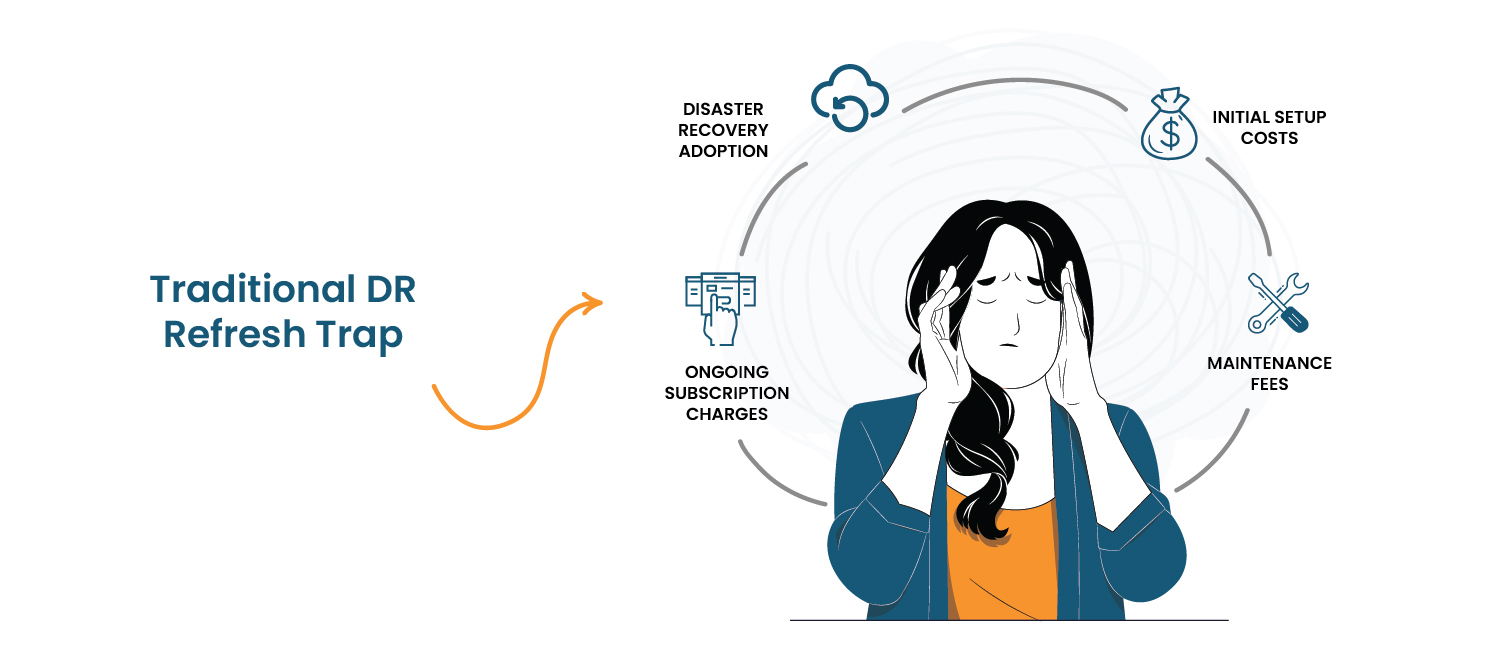
That averages out to $13,000 monthly. Market research shows that approximately 20% of SMEs cite affordability concerns as a primary barrier to disaster recovery adoption, with initial setup costs, maintenance fees, and ongoing subscription charges being prohibitively expensive. They understand the risk and can’t justify spending that much.
Azure Site Recovery: The Real Numbers
Azure eliminates the whole capital expense problem. Instead of buying servers and storage, you’re renting Microsoft’s infrastructure and paying for what you actually use. Here’s what a typical 50-VM environment costs monthly with Azure Site Recovery:
Monthly Azure Bills
| What You’re Paying For | How It’s Calculated | Monthly Cost |
|---|---|---|
| ASR licenses | 50 VMs × $31 | $1,550 |
| Test failover compute | 10 VMs × $120 | $1,200 |
| Storage (LRS) | 15TB × $19/TB | $285 |
| Replication bandwidth | 2TB × $87/TB | $174 |
| Azure Backup add-on | 15TB × $10/TB | $150 |
| Total Azure | $3,359 |
That compute line deserves explaining. ASR keeps your VMs ready but shut down. When you run quarterly tests or do an actual failover, those VMs boot up and you pay compute charges. The $1,200 covers regular testing and occasional failover scenarios averaged across the month.
Complete monthly cost: $5,259 (Azure + your services)
Traditional DR runs $12,000-15,000 monthly for similar protection. You’re saving clients 56-65% while cutting recovery time from hours to minutes.
Why Azure Costs Way Less

These aren’t accounting games. Real reasons Azure costs less:
- No depreciation: You’re not buying assets that lose value. Microsoft owns the infrastructure; you rent access to it.
- Zero overprovisioning: Traditional DR makes you buy extra capacity for future growth. Azure scales when you need it, so you pay for today’s requirements.
- Less labor during disasters: Automated failover handles what used to take manual work—configuring standby servers, restoring from tapes, redirecting network traffic.
- No refresh cycles: Microsoft continuously upgrades infrastructure. You benefit from hardware improvements without purchasing new equipment every 3-5 years.
Azure Site Recovery vs. Traditional DR: Side-by-Side Comparison
| Feature | Traditional DR | Azure Site Recovery | Winner |
|---|---|---|---|
| Upfront Cost | $150K-300K | $0 | Azure |
| Monthly Cost | $12K-18K | $3K-5K | Azure |
| RTO | 2-8 hours | 15 minutes | Azure |
| RPO | 1-4 hours | 15-30 minutes | Azure |
| Testing Impact | Production disruption risk | Isolated, zero impact | Azure |
| Scalability | Hardware-limited | Instant | Azure |
| Maintenance Load | 10-20 hours/month | Microsoft-managed | Azure |
| Contract Terms | 3-5 year commitments | Month-to-month | Azure |
Why These Differences Matter
- RTO has a price tag. When downtime costs your client $10,000 hourly, cutting RTO from 4 hours to 15 minutes saves $37,500 per incident.
- Testing without risk changes behavior. Traditional DR testing gets postponed forever because it might disrupt production. Azure’s isolated test environment makes quarterly validation routine. When disaster actually strikes, you’re executing a tested plan instead of crossing your fingers.
Real Client Story: A Mid-Sized Manufacturing Firm in Virginia
The Problem
One of our clients – a mid-sized manufacturing company runs precision machining operations with 75 people in Roanoke, Virginia. They were running VMware vSphere 6.7 on an HP Nimble array that was reaching end-of-life.
Bigger problem: zero disaster recovery. Production systems, ERP, engineering workstations all completely exposed.
For manufacturers, this is scary. When systems go down, production stops completely. Machine shops can’t ship products when their systems are dark. Revenue stops until you’re back online.
The Traditional Quote
The company received quotes for traditional DR:
- New Nimble array: $120,000
- Replication software: $25,000
- Secondary site work: $35,000
- Implementation: $20,000
Total: $200,000 upfront + $3,000/month
That $200K competes directly with production equipment that generates revenue. New CNC machine versus disaster recovery gear that sits idle hoping you never need it? Tough sell. The firm had operated without DR for years despite knowing the risk.
What We Built Instead
- Weeks 1-2: Ran Azure Migrate to assess their environment. Found 12 production VMs running ERP, manufacturing execution systems, file services, and domain controllers. Let the tool collect performance data to understand actual workload patterns.
- Weeks 3-6: Set up Azure Site Recovery, deployed the config server, enabled protection for all production VMs. Initial sync moved about 4TB of data to Azure over their 50Mbps connection—took roughly 72 hours.
- Week 7: Test failover. Spun up protected VMs in an isolated Azure network, checked application functionality, validated database integrity, documented procedures. Everything worked first try.
Six Months Later
Money:
- Avoided spending: $200,000 (They invested in revenue-generating CNC equipment instead)
- New monthly DR cost: $4,200 ($2,800 Azure + $1,400 our management
Five-year savings versus traditional: $456,000
Recovery:
- RTO dropped from 4+ hours to 15 minutes
- RPO improved from 8 hours to 30 minutes
- Testing went from never to quarterly validated failovers
Bonus: Azure experience set them up for full cloud migration planned for 2026. Their IT team got comfortable with Azure operations through the DR project.
- Professional services for implementation: $8,000-12,000
- Ongoing monthly management costs: Approximately $1,500-2,000
- Total monthly investment: $4,000-5,500 (Azure consumption + management)
This demonstrates how Azure Disaster Recovery Solutions provides immediate business value while creating a foundation for broader cloud adoption when the business is ready.
Traditional DR or Azure Site Recovery – Which Approach Makes Sense?
Azure wins most scenarios, but knowing when traditional or hybrid approaches work better ensures you’re solving real problems instead of following trends.
Stick With Traditional DR When:
- Recent hardware purchases. If your client bought DR infrastructure in the last two years, scrapping functional equipment rarely makes sense financially. Ride it out until the next refresh.
- Owned datacenter space. Some organizations already own colocation or secondary facilities. When those costs are sunk, incremental traditional DR costs drop significantly.
- Bandwidth problems. Locations with under 10Mbps struggle with Azure replication. Rural facilities or old buildings with limited connectivity need traditional approaches until bandwidth improves.
- Specific regulations. Rare but real—some defense contractors and government work face data residency requirements demanding on-premises DR. This is shrinking as compliance frameworks evolve.
Move to Azure Site Recovery When:
- Hardware reaching end-of-life. At 3-5 years, you’re facing refresh decisions anyway. Azure eliminates that capital hit while delivering better capabilities.
- No current DR. Organizations without any protection get immediate coverage without six-figure hardware bills. Monthly operational expenses are easier to justify than major capital projects.
- Fast RTO requirements. Clients needing sub-one-hour recovery benefit hugely from automated failover. Traditional DR with manual processes can’t compete on speed.
- Cloud-curious companies. Businesses considering cloud migration can pilot Azure through DR. They gain experience solving an immediate need while building foundation for broader adoption.
- Capital constraints. SMBs struggling to get large capital approvals find monthly operational expenses much easier. Financial flexibility matters, especially for growing companies preserving cash for revenue investments.
Consider Hybrid:
Some companies benefit from mixed approaches:
- Tiered protection: Keep Tier 1 critical apps (ERP systems) with local replication for minimal RTO. Use Azure for Tier 2/3 systems (file servers, domain controllers). Optimizes cost while maintaining fastest recovery for mission-critical workloads.
- Real example: Manufacturing company protects ERP locally (5-minute RTO), replicates supporting systems to Azure. Total DR cost drops 60% versus all-on-prem while keeping production systems ultra-fast.
- Multiple locations: Organizations with several sites might protect headquarters with Azure, keep branch offices with local backup. Matches protection to actual business requirements.
The key: honest client assessment. Most MSP clients benefit from Azure’s economics and capabilities. But thoughtful evaluation beats blindly chasing technology trends.
What We’ve Learned Deploying Many Azure DR Projects
After implementing Azure Site Recovery across multiple client environments, certain patterns emerge that aren’t in Microsoft’s documentation:
- Bandwidth assessments lie.
Azure Migrate shows average usage, but month-end processing or inventory updates can spike replication traffic up to 10x. Always add a 40% buffer to bandwidth estimates.
- Test failovers catch configuration drift.
Half of our quarterly tests reveal issues—firewall rules changed, passwords expired, certificates updated. Without regular testing, your DR plan quietly decays until the day you actually need it.
- The real competition isn’t traditional DR.
It’s “do nothing.” Most prospects aren’t comparing Azure to NetApp replication—they’re comparing it to continuing without any DR strategy. Frame conversations around “what happens when, not if” scenarios.
- Margin comes from testing and documentation, not monitoring.
Clients gladly pay for quarterly failover validation and updated runbooks. They resist paying for “watching dashboards.” Structure your MSP services accordingly.
- The migration conversation happens naturally.
You don’t need to hard-sell cloud migration. After 6–12 months of running Azure DR, clients start asking, “Could we just run in Azure full-time?” Let the DR experience create your migration pipeline.
Struggling With Disaster Recovery Implementation?
You could be overspending or under protected. Architect the right DR solution with Infrassist.
Conclusion
Azure Site Recovery makes enterprise-grade disaster recovery accessible to businesses that couldn’t afford it before. Clients save 50-65% versus traditional approaches while getting 15-minute recovery instead of 2-8 hours. MSPs build more profitable practices with 40-55% margins instead of 20-30%.
A leading manufacturing company’s story proves this works in practice: $200K avoided, recovery 16 times faster, foundation for cloud adoption. These aren’t exceptional results—they’re normal outcomes when appropriate clients move to Azure DR.
What matters most: disaster recovery should actually protect businesses, not just check compliance boxes. Azure makes that protection achievable for mid-market companies that need it most. As you evaluate client options, think beyond immediate cost differences to broader implications of making DR genuinely accessible instead of theoretically ideal.