No one can deny that the IT landscape, especially in the corporate world, has evolved a great deal over the years. Gone are the days when it would function quietly in the background. Earlier, no one bothered with it as long as email worked and files were accessible.
But today, almost every part of the business runs on technology. Be it sales, finance, customer support, or internal communication, all of them depend on IT systems working the way they should.
As a result, work slows down almost immediately when something goes wrong. In some cases, it stops completely.
Even so, many businesses still treat IT as something to deal with later. Problems are fixed when they show up, due to which Updates get delayed. Even cybersecurity is assumed to be fine until it starts acting up.
Managed IT services exist because this approach no longer works. Teams need reliable systems, basic structure, and support they can count on. They also need to avoid overloading internal staff with work that never seems to end.
Intrigued? This guide will break down what managed IT services actually mean, how they differ from the old support model, and why businesses often struggle without them.
Let’s get to it.
What Are Managed IT Services?
In simple terms, managed IT services mean having someone take ongoing responsibility for your IT setup. Their tasks aren’t limited to just fixing issues, but keeping systems running all day, every day.
This includes monitoring systems, handling updates, managing security basics, and helping users when technical issues arise. The idea behind this is simple: catch issues early and reduce the number of things that break in the first place.
Basically, it is less about reacting to challenging situations, and more about taking proactive steps to prevent such situations from arising in the first place.
How Managed IT Services Differ from Traditional IT Support
The difference between traditional and managed IT support is massive.
In essence, traditional IT support waits for something to go wrong. For example, a user raises a ticket; and then the issue gets fixed. After that, it’s back to the usual grind until the next problem appears.
Managed IT, on the other hand, works in the background all the time. Systems are monitored, updates are planned (instead of skipped), and common issues are addressed before they turn into bigger ones. Over time, this leads to fewer emergencies and more predictable systems.
Three Common Myths Businesses Still Believe About Managed IT
Managed IT support may sound like a fancy service that’s nice to have, but given the increasing complexity of IT systems, networks, and the cyberworld, it has become non-negotiable for companies of all sizes. Still, certain myths continue to abound. Let’s bust them and acquaint ourselves with the facts.
Myth 1. “It Is Only for Big Companies”
This idea comes from the time when managed services were built for large enterprises. Today, smaller teams rely on IT just as much. Many do not have the time or budget to manage IT operations internally, which is exactly where managed IT makes sense.
Myth 2. “We Will Lose Control”
It’s important to remember that losing control usually comes from poor communication, not outsourcing itself. A trustworthy managed IT setup documents systems, defines access, and keeps internal teams in the loop. In practice, visibility often improves.
Myth 3. “It Is Too Expensive”
Here, businesses often don’t consider the cost of unmanaged IT. Downtime, rushed fixes, security issues, and lost productivity all add up over months and years. Managed IT, however, turns these scattered costs into predictable monthly/annual expenses that fit the business’s budget.
The Real Problems Businesses Face Without Managed IT
Businesses have a lot to benefit from partnering with a reputed managed IT service provider. Not having this ally in your corner can lead to some serious issues. We’ve enumerated some of the major ones in this section.
Reactive Firefighting vs Proactive IT Management
Without managed IT, most teams likely spend their time reacting to issues that shouldn’t have cropped up to begin with. Problems probably get fixed only when users complain or when systems fail.
As such, there is little room to step back and prevent the same issues from repeating. But proactive management changes this pattern by addressing problems earlier.
Security Gaps That Go Unnoticed Until It Is Too Late
Many security issues are small at first, such as missed updates, old user accounts, weak permissions, and so on. They rarely cause immediate trouble, which is why they often go unnoticed. Without regular checks though, these gaps stay open until a pressing issue forces attention.
Downtime, Data Loss, and Slow Systems Becoming Normal
When issues happen often enough, they get normalized and teams learn to adjust. For instance, slow systems and brief outages start to feel typical with workarounds becoming part of daily routine. In the long term, however, this acceptance hurts productivity and morale.
Overloaded Internal IT Teams Wearing Too Many Hats
Internal IT teams are often pulled in every direction with support requests, maintenance, security tasks, and new projects all competing for attention. Important work gets delayed because urgent issues never stop. In such cases, managed IT helps by taking routine, repetitive tasks off their plate.
The Hidden Cost of Doing Nothing
While doing nothing feels easier in the moment, it can never be feasible in the long run. It would mean that there will be no changes to manage and no decisions to make. The cost shows up later through recurring issues, wasted time, and avoidable risks. Managed IT exists to reduce this slow, ongoing drain.
How Managed IT Services Support Business Growth
Most businesses don’t hit a wall because of strategy, but because their systems aren’t capable of keeping up with the growing demands over it. Understandably, growth can expose cracks that were easy to ignore when teams were smaller.
Managed IT doesn’t create growth by itself. But it does remove the friction that can slow operations down. Here’s how.
Creating Stable, Predictable IT Environments
Stability sounds boring until it disappears. When systems behave differently every week, teams waste time adjusting instead of working.
Managed IT can help by bringing about consistency in the form of creating the same configurations, access rules, and update cycles. This works because predictability reduces the likelihood of errors.
When people know what to expect from their tools, fewer mistakes occur, less support tickets are generated, and fewer things need to be re-explained every time a new member joins the team. Eventually, this kind of stability makes growth less chaotic.
Enabling Teams to Work Faster, Not Harder
Problems related to speed are difficult to pinpoint, especially in the initial stages. They can manifest themselves as delays, workarounds, and repeated questions.
For example, someone may be waiting for access, and others might be restarting a tool three times a day. Meanwhile, someone else could be maintaining a local copy of data because syncing feels unreliable.
Managed IT removes these slowdowns one by one by tightening up the basics. As a result, access is provided in a timely manner, systems respond consistently, and issues get resolved before people report them. Over time, teams move faster because they stop compensating for broken processes.
Supporting Scale Without Constant Rework
In many cases, IT environments grow by accident. For example, a temporary tool is added to a system, a quick fix becomes permanent, or a rushed decision stays in place for years until it stops holding things together.
Sounds like yet another impractical arrangement, doesn’t it?
Here, managed IT can introduce structure before things get messy. Systems are designed with the assumption that more users, devices, and data are impending. So, proper documentation processes are put in place so changes follow a certain pattern.
If you’re worried that this structure will stop/hinder company-wide changes, it won’t. In fact, it makes change easier to track and manage without tearing everything apart each time.
Helping Leadership Make Smarter Tech Decisions
Sometimes, leaders might have to make tech decisions with incomplete information. For example, they might hear about a tool and decide to implement it as a swift reaction to a problem. Or they could approve something quickly just to keep work moving.
In such cases, managed IT provides context through visible patterns that indicate what usually breaks, what tends to scale poorly, and what turns out cheaper now but could cost more later. Needless to say, these inputs help leadership think beyond the immediate fix and avoid decisions that lock the business into fragile setups.
Managed IT Services as an Extension of Your Internal IT Team
A managed IT service provider isn’t a replacement for your internal IT team. Think of it as a supplementary entity that boosts the efficiency of your IT function as a whole. Having said that, it’s time to take a look at a few solid reasons why managed IT services are most effectively used as counterparts of your internal team.
Why This Model Works Better Than Replacing In-House IT
Internal IT teams understand the business inside-out: they know users, workflows, and history. This context is hard to replace.
Managed IT works best when it supports this knowledge instead of overriding it. Routine work moves out, coverage improves, and specialized tasks get handled by skilled technicians who do them every day.
This allows the internal team to stay focused on priorities that matter to the business, and not just keeping systems alive.
Division of Responsibilities
Confusion can kill efficiency. But when ownership is unclear, issues linger longer than they should. In a healthy setup, internal IT owns business alignment and user experience, whereas managed IT owns system health, monitoring, and maintenance.
This division prevents overlaps and loopholes. All teams know where to escalate issues and who is responsible for resolving them. This clarity saves time and reduces frustration.
Filling Skill Gaps Without Hiring Full-Time Specialists
Some skills are critical but occasional. These may include security reviews, cloud optimization, and advanced troubleshooting. Hiring full-time staff for these needs doesn’t always make sense.
Here, managed IT provides access to those skills without long term overhead. This allows businesses to handle complex issues properly instead of relying on guesswork or delayed fixes.
Reducing Burnout for Internal IT Teams
When internal teams have to deal with constant alerts and repeated issues with no time to fix root causes, burnout can creep in.
Managed IT absorbs this operational noise. As a result, monitoring, patching, and after-hours support stop falling on the same few people. Internal teams finally get time to improve systems instead of constantly repairing them.
Engendering Collaboration Instead of Conflict
The fact is, managed IT fails when it operates like an external vendor, but works when it is treated like part of the team.
This means shared goals, regular check-ins, and transparent conversations about what is not working. When collaboration is real, issues surface early and get resolved faster.
Core Components of Managed IT Services
Managed IT services can be leveraged to the greatest extent only when you know what kind of services they offer, and if you really need them. In case you’re wondering what exactly managed IT service providers bring to the table, read on to get your answers.
24/7 IT Monitoring and Issue Resolution via a NOC
- Most outages are not sudden. Warning signs appear long before users feel the impact.
- A NOC monitors systems continuously and responds to these signals. Many issues are handled quietly, without disruption.
- This reduces downtime and avoids frantic, reactive efforts to resolve a crisis.
Helpdesk Support for Day-to-Day IT Needs
- User issues will always exist. The difference lies in how quickly and consistently they are handled.
- A managed helpdesk reduces wait times and prevents small problems from piling up.
Network, Server, and Device Management
- Infrastructure drifts over time. When settings change, performance can degrade.
- Managed IT keeps networks, servers, and devices aligned with agreed standards so problems do not accumulate silently.
Remote Monitoring and System Maintenance
- Monitoring tools track system health continuously, while maintenance tasks run on schedule.
- This keeps environments stable without relying on manual checks.
Cloud and Microsoft 365 Support
- Cloud platforms evolve constantly and permissions, licenses, and configurations need attention.
- Managed IT ensures these platforms stay secure, organized, and aligned with usage.
Security Monitoring and Risk Management
- Security issues usually stem from neglect, missed updates, uncontrolled access, and poor visibility.
- Ongoing monitoring reduces exposure by addressing risks before they escalate.
Software Updates and Patch Management
- Delaying updates feels safe until it starts affecting your business operations.
- Managed IT applies patches in a controlled manner. Systems stay current without unnecessary disruption.
Data Backup and Disaster Recovery
- Backups need to be reliable and recovery plans must be realistic.
- Managed IT ensures data protection is tested and understood before it is needed.
IT Support for Projects and Migrations
- Projects can introduce unforeseeable risks. Additional planning and support reduce failures.
- Managed IT helps internal teams execute changes without overload.
Scalable IT Support That Supplements Internal Teams
- IT support needs can fluctuate from project to project.
- Managed IT scales with demand instead of forcing permanent expansion. This flexibility keeps teams responsive without long-term strain.
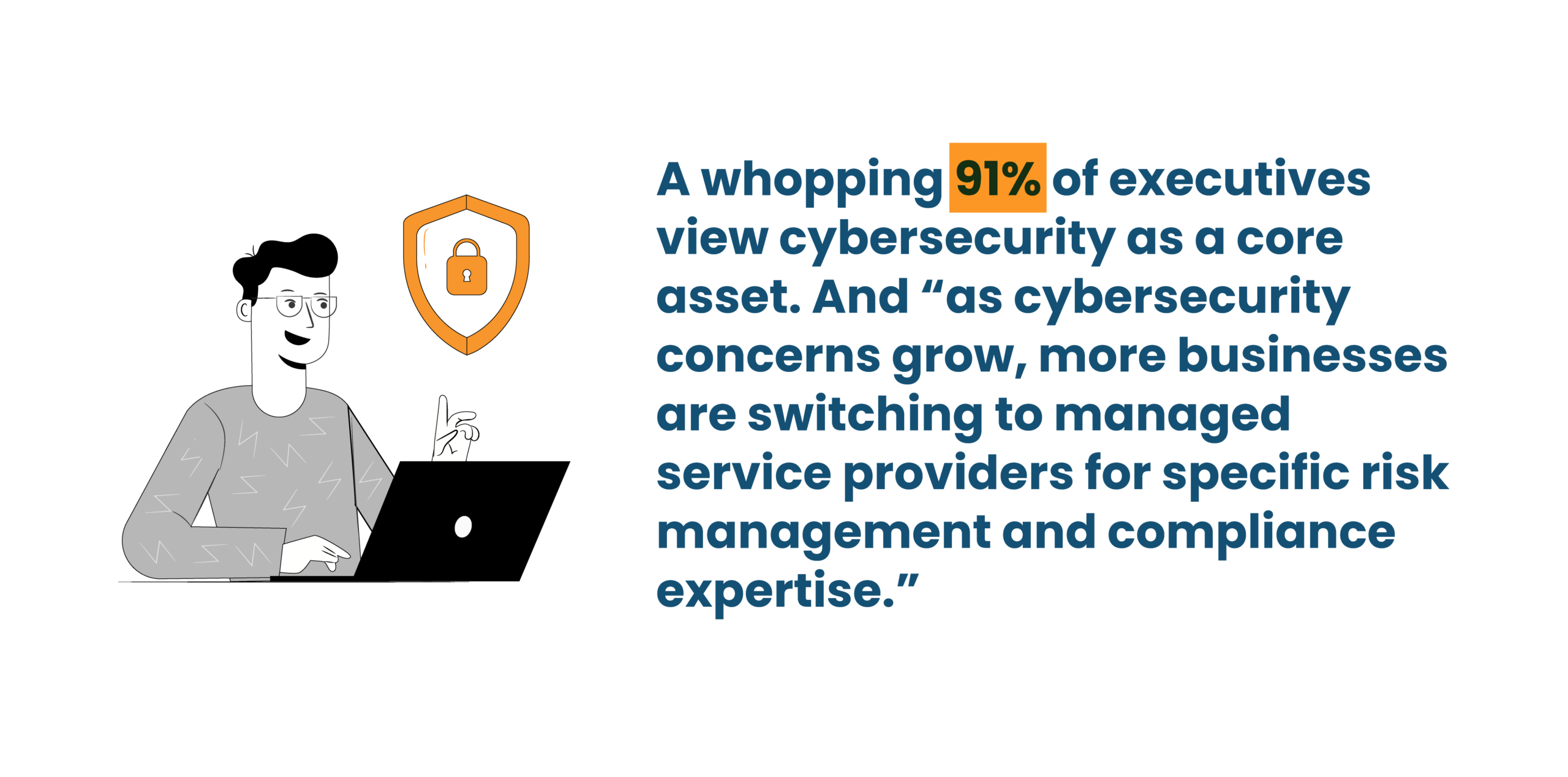
Security and Compliance: Where Managed IT Becomes Critical
Security usually gets attention only after something goes wrong, like a breach, a failed audit, or a client asking uncomfortable questions. By then, the conversation would already be late.
Managed IT becomes critical here because security and compliance are not one-time efforts. They require consistency, discipline, and follow through.
Why Security Can’t Be an Afterthought Anymore
There was a time when cybersecurity boiled down to using antivirus and strong passwords. These measures were sufficient when systems were simpler and access was limited.
However, times have changed and how! Data is now stored across devices, cloud platforms, and third-party tools. Employees work from different locations, while vendors are able to connect to internal business systems. These activities bring with themselves major risks.
When security is treated as an afterthought, gaps can easily go unnoticed until a system fails. But at this point, the cost is rarely small.
Managing Threats Businesses Don’t Even See Coming
Most threats are tedious and persistent. This could mean old user accounts that never got removed, permissions that were granted once and forgotten, and systems that remained out-of-date for months. These issues rarely trigger alarms, but they can also be easily exploited.
Managed IT brings visibility into these blind spots. Regular reviews, monitoring, and audits surface risks that internal teams often do not have time to chase down.
Compliance Challenges Across Industries
Compliance is largely about proving consistency over time. It’s no secret that different industries face different pressures. Healthcare, for example, deals with data privacy while finance faces audit trails and access controls. SaaS companies answer customer security reviews before contracts even move forward.
Managed IT helps by creating repeatable processes where access rules are documented, changes are tracked, and systems follow defined procedures. This makes compliance less reactive and more manageable.
Managed IT Providers Help Enforce Security Discipline
Discipline is the hard part of security. People know updates matter, that access should be reviewed, and that backups should be tested. The issue is the absence of a proper follow through.
Managed IT enforces routines. You can rest assured that patches are applied, reviews happen on schedule, and exceptions, if any, are flagged instead of ignored.
Reducing Risk Without Slowing the Business Down
Security often gets blamed for slowing work. In reality, poor security processes cause more disruption.
Managed IT focuses on practical controls. Enough security to reduce risk, without blocking daily work. Access is defined clearly, tools are configured properly, and users understand what is expected. This results in fewer unpleasant surprises and/or emergency responses.
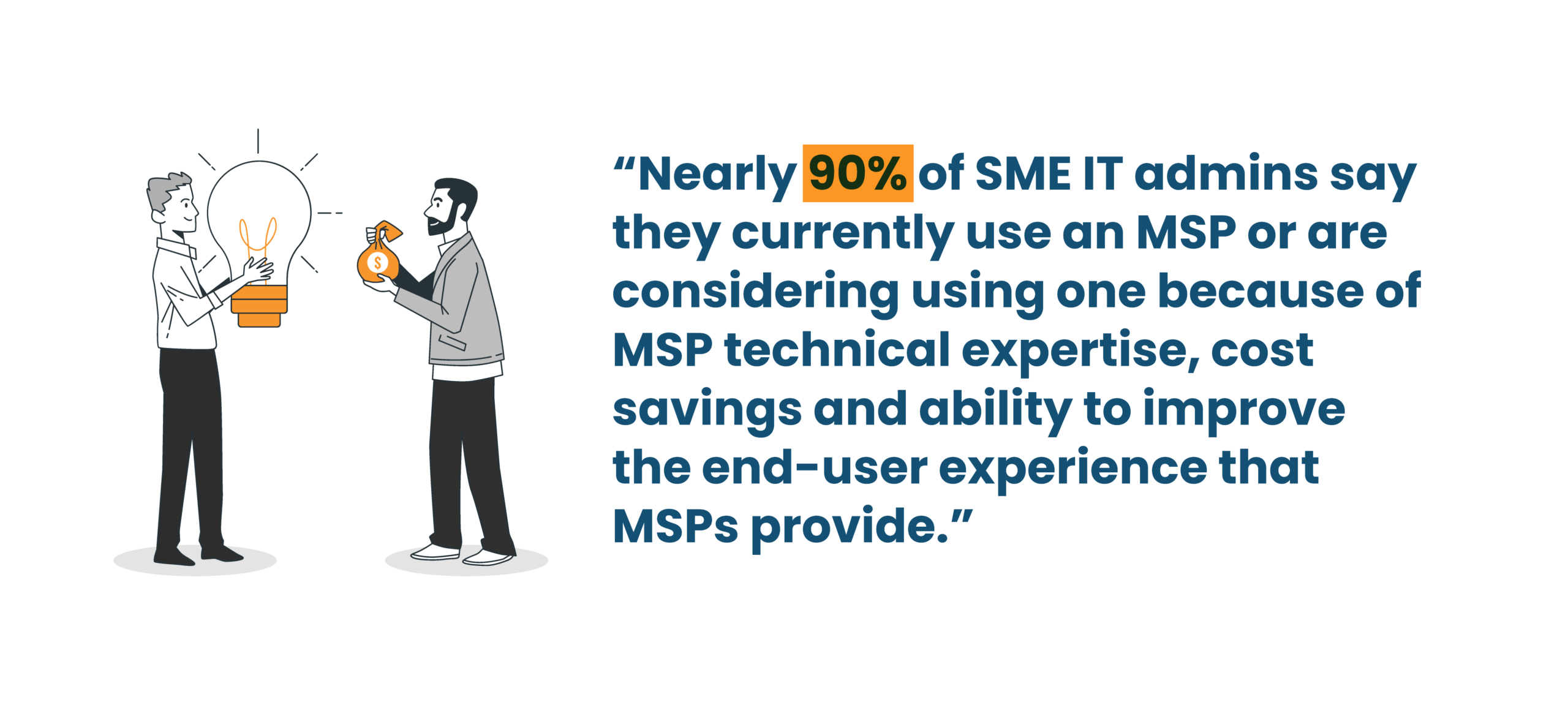
Managed IT Services for Different Business Sizes
The majority of IT-related problems look different depending on size, but the root issues are often the same: too much reliance on improvised setups and not enough structure.
Small Businesses Trying to Stay Afloat
Small businesses tend to rely on a mix of tools and informal processes for running operations and troubleshooting issues. Someone from the team knows how things work. That knowledge lives in their head.
This works until that person leaves or gets overwhelmed.
Managed IT helps small teams establish basic structure early with standard setups, documented access, and reliable backups.
Mid-Sized Companies Scaling Fast
Mid-sized companies feel pressure from both sides: they have outgrown simple setups, but do not yet have enterprise-level resources.
The truth is, growth can expose weak points faster than anything else. For example, onboarding slows down, systems strain under new usage, and security questions become harder to answer.
Managed IT helps stabilize this phase by supporting scale without forcing constant rebuilds.
Enterprises Managing Complexity Across Locations
Large enterprises deal with volume and variation as they manage different teams, locations, and layered systems.
Managed IT supports consistency across this complexity. Monitoring becomes centralized, standards are enforced, and issues are resolved without relying on quick fixes. This reduces fragmentation and improves control.
Why One-Size-Fits-All Never Works in IT
Every business operates differently with its own risk tolerance, growth pace, and regulatory pressure. Managed IT works when it adapts to the specific context, i.e., the right controls, coverage, and level of involvement. Rigid models usually fail because they ignore how work actually happens.
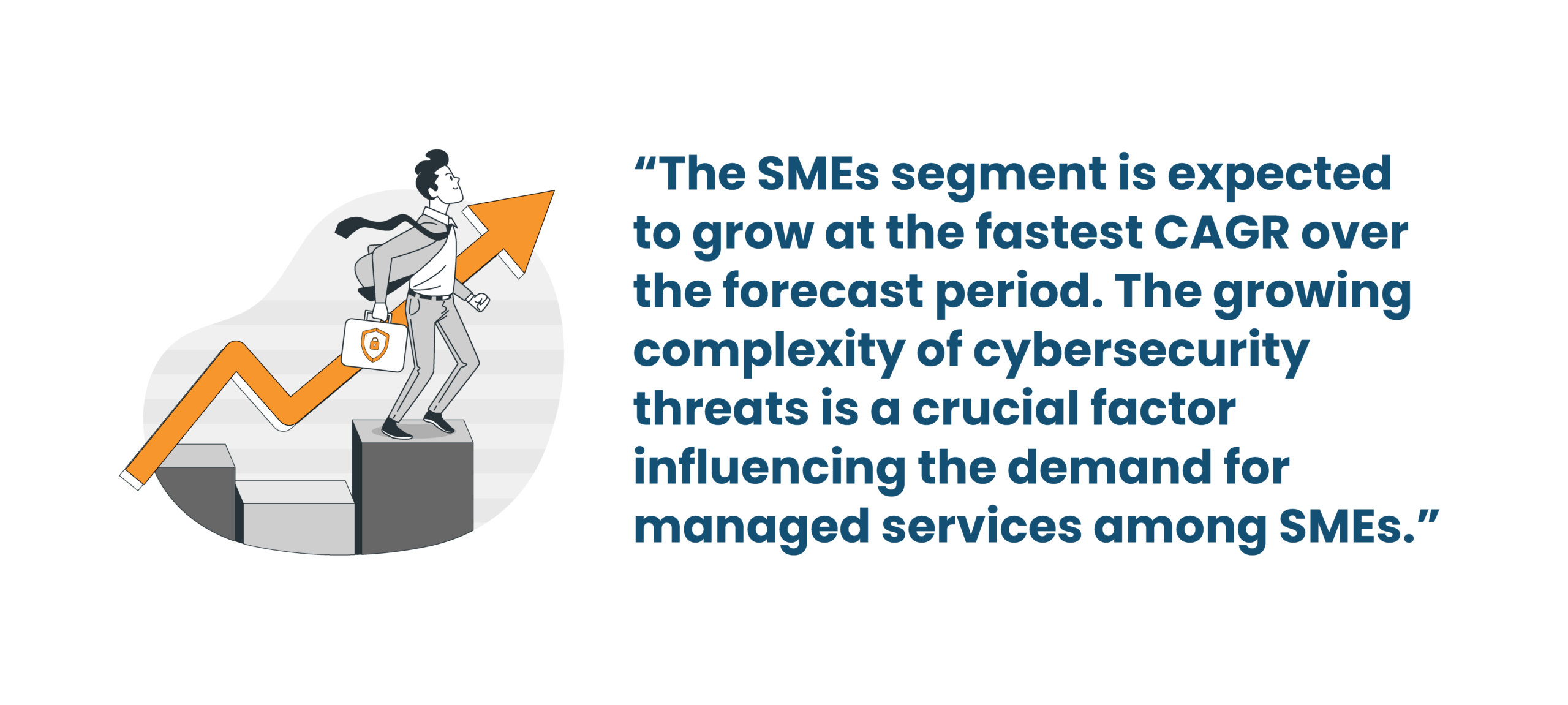
When Does a Business Know It’s Time for Managed IT
There comes a time when most growing businesses need to answer the question: to partner or not to partner with managed IT? Many do not decide proactively, but the signs appear long before the decision gets made.
Early Warning Signs Leadership Often Ignores
Early signs appear in the form of small issues that start repeating, the same systems failing, and the same complaints surfacing. In these cases, fixes feel temporary. Leadership often sees these as minor annoyances. Over time, they become patterns that suggest deeper issues.
The Breaking Point for Internal IT Teams
Internal IT teams hit a wall when everything feels urgent. Support never arrives, projects stall, and root causes never get addressed. What follows is burnout, frequent mistakes, and poor morale. Managed IT enters the picture when teams need relief rather than replacement.
Growth Milestones That Demand Better IT Support
When a business grows, it experiences hiring spurts, begins operations in new locations, acquires bigger clients, and attracts additional regulatory requirements. As you can tell, each milestone increases pressure on systems. Managed IT helps businesses meet these needs with clarity and decisive action.
Security Incidents as a Wake-Up Call
Cybersecurity incidents can change conversations fast with questions getting sharper and assumptions getting challenged. Managed IT is typically brought in after these events, but it is most effective before them. After all, the real value lies in prevention, not recovery.
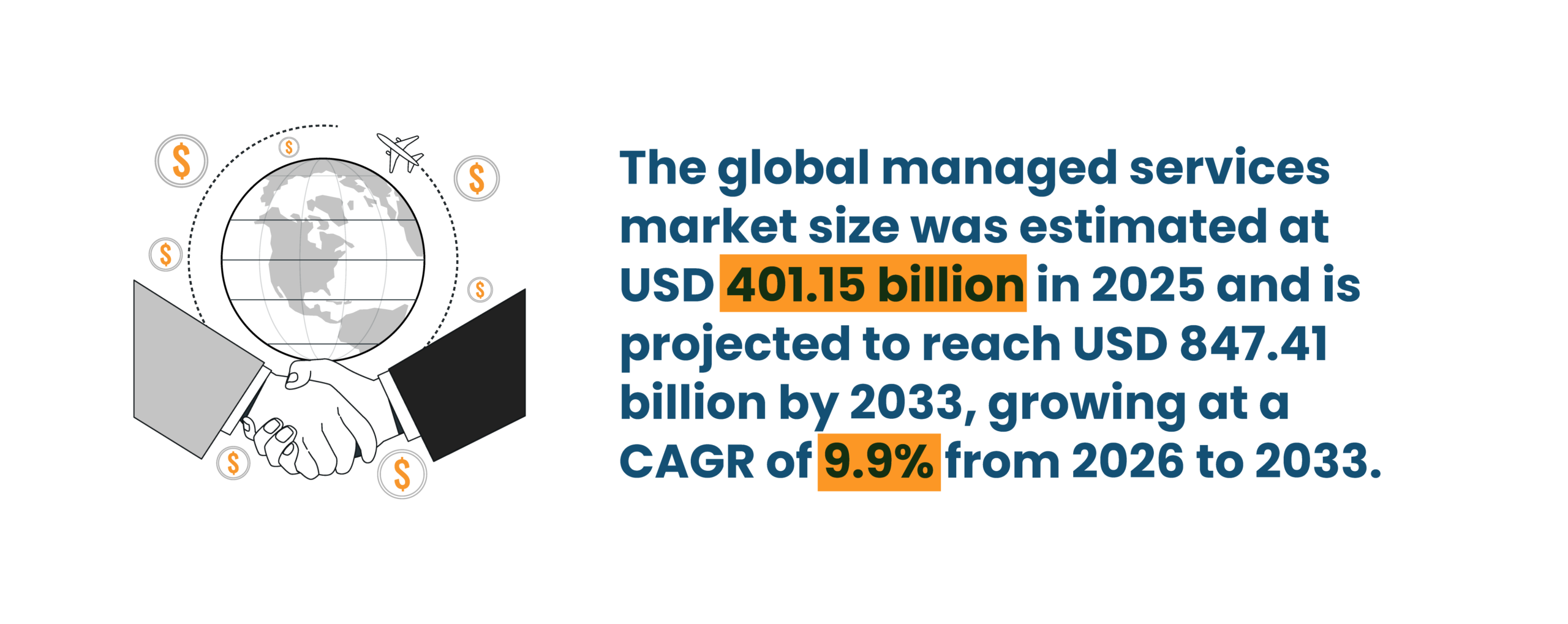
Choosing the Right Managed IT Services Partner
Honestly, the hardest part of working with managed IT support isn’t picking a tool or considering pricing. It’s figuring out if you can actually work with them when something breaks at say, 2 o’clock in the morning.
Here are a few considerations that make the difference:
- You want someone who provides truthful and straightforward answers to your questions, not someone who says “we’ll look into it” and vanishes for hours. If they don’t take ownership of a problem, you’ll end up chasing them more than solving anything.
- Experience matters more than certifications. Teams with every badge on their wall can still fail if they have no experience in dealing with challenging real-world situations and environments. On the other hand, the provider who’s handled multiple migrations, outages, and audits usually knows the shortcuts that are safe and those that will backfire.
- Transparency is a big deal. You need to know what’s happening, even if the answer is “we don’t know yet.” Silence or overly technical answers are usually a sign they’re hiding something or just don’t know themselves.
- Last but not least, mindset beats tools. All IT professionals use monitoring dashboards these days. But a real partner thinks ahead, flags potential problems before they explode, and talks through trade-offs instead of just doing what you ask blindly.
What a Good Managed IT Relationship Looks Like Day-to-Day
Contracts don’t fix problems. You’ll know a partnership is working or failing by how the days feel.
- Onboarding: Observe the first few weeks sharply as this is when the hidden signs start showing up: outdated accounts, forgotten servers, weird dependencies. A trusty provider notices these issues and documents them without causing chaos.
- Check-ins: We’re not referring to daily emails or vague reports. But someone who actually points out recurring issues, patterns, slow systems, and things your team might be ignoring. Eventually, this is exactly what prevents small annoyances from becoming huge disasters.
- Escalation: In case of an incident, all team members should be aware of who is supposed to react first, thereafter, and when leadership steps in. Otherwise, minor outages feel like a crisis, and create unnecessary fear and anxiety.
- Continuous improvement: IT doesn’t stop changing even as teams grow, tools evolve, and risks advance. A provider who never revisits processes or reviews the strategies that are effective (and eliminates those that aren’t) becomes part of the problem.
Common Mistakes Businesses Make with Managed IT Services
Here are a few common, yet avoidable, mistakes that businesses make when working with managed IT services.
- Treating managed IT like it’s just about saving money: Low cost usually means slower response, less coverage, or inexperienced staff. As a result, you end up spending more on fixing mistakes that shouldn’t have been made in the first place.
- Not looping in internal IT early: Only your internal IT team knows how things actually work within your specific environment, which systems are fragile, and which workarounds have been put in place. Ignore them, and friction will build fast.
- Poor documentation and vague expectations: The “Oh, we’ll figure it out later” usually becomes months of wasted time and miscommunications.
- Choosing vendors instead of partners: Vendors only check boxes, whereas partners notice patterns, anticipate risks, and help you avoid repeated mistakes. The difference shows up when things start malfunctioning, which tends to happen sooner or later.
The Long-Term Value of Managed IT Services
The thing about managed IT is that you usually don’t notice the difference right away. But over time, you’ll stop feeling like every week is a crisis. This is when the value shines through.
Predictable Costs and Fewer Surprises
IT always costs more than you think if you’re just reacting to an incident. Every outage, every last-minute fix, every emergency patch piles up. A proven managed IT setup doesn’t make costs disappear, but it makes them predictable. Fewer “oh no, what now?” moments.
Stronger Security Over Time
Security isn’t a checklist. It’s all the little things you forget: accounts nobody uses, patches that got skipped, misconfigured permissions. A managed IT team keeps an eye on those at all times. But that doesn’t block people from doing their work. Over time, however, your systems get a lot harder to break into.
Better Alignment Between IT and Business Goals
Your internal team knows the company. They know the workflows. But they’re usually too busy putting out fires to think strategically. Managed IT gives them space to step back. Together, you figure out what actually matters, what improvements are worth doing, and how tech can really support the business instead of just keeping it alive.
Future-Proofing Without Over-Engineering
You don’t need every new tool or feature under the sun. Most companies either over-build or under-build. Managed IT helps you plan for growth without creating systems nobody can manage or systems that collapse the minute users or data increase. It’s about being ready without overcomplicating things.
Simplify Your IT Management Today
Infrassist helps MSPs streamline support, reduce downtime, and strengthen IT operations efficiently.
Conclusion
Managed IT isn’t magic. It won’t suddenly fix every problem, and it won’t make your team perform miracles. What it will do is stop the endless cycle of troubleshooting, triage, reactive crisis management, and frustration. It gives your team room to focus on actual work, keeps your systems from breaking randomly, and helps leadership make decisions with a little more context and a little less panic.
If you’re tired of random outages, security scares, or your IT team burning out, it might be time to look at a managed IT partner. Infrassist works with your business to provide real support, based on experience, not just promises. Check out their services and see how they can help you get IT under control so your business can actually move forward without constantly hitting pause.