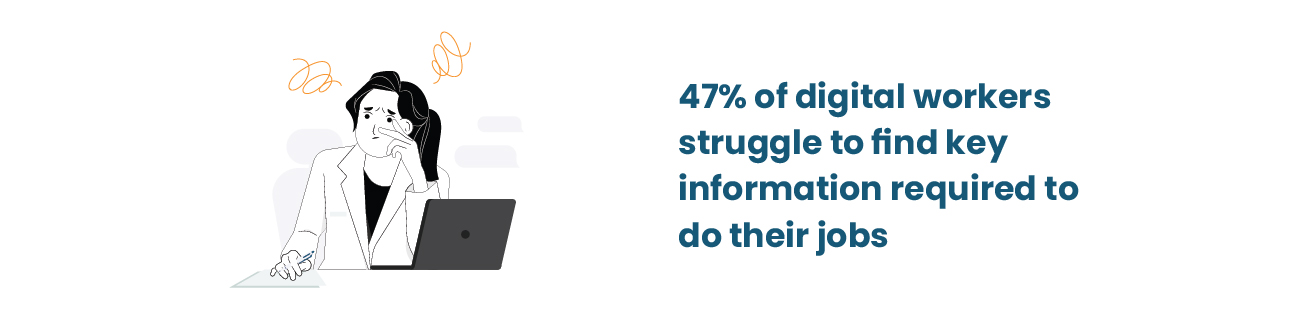
Sales manager tries sharing a proposal from her phone—file won’t sync. Engineering team across three time zones can’t collaborate without version conflicts. IT gets pinged at 11 PM because someone can’t access the VPN.
You know these scenarios. Probably dealt with one today. And that’s not a technology problem. It’s infrastructure.
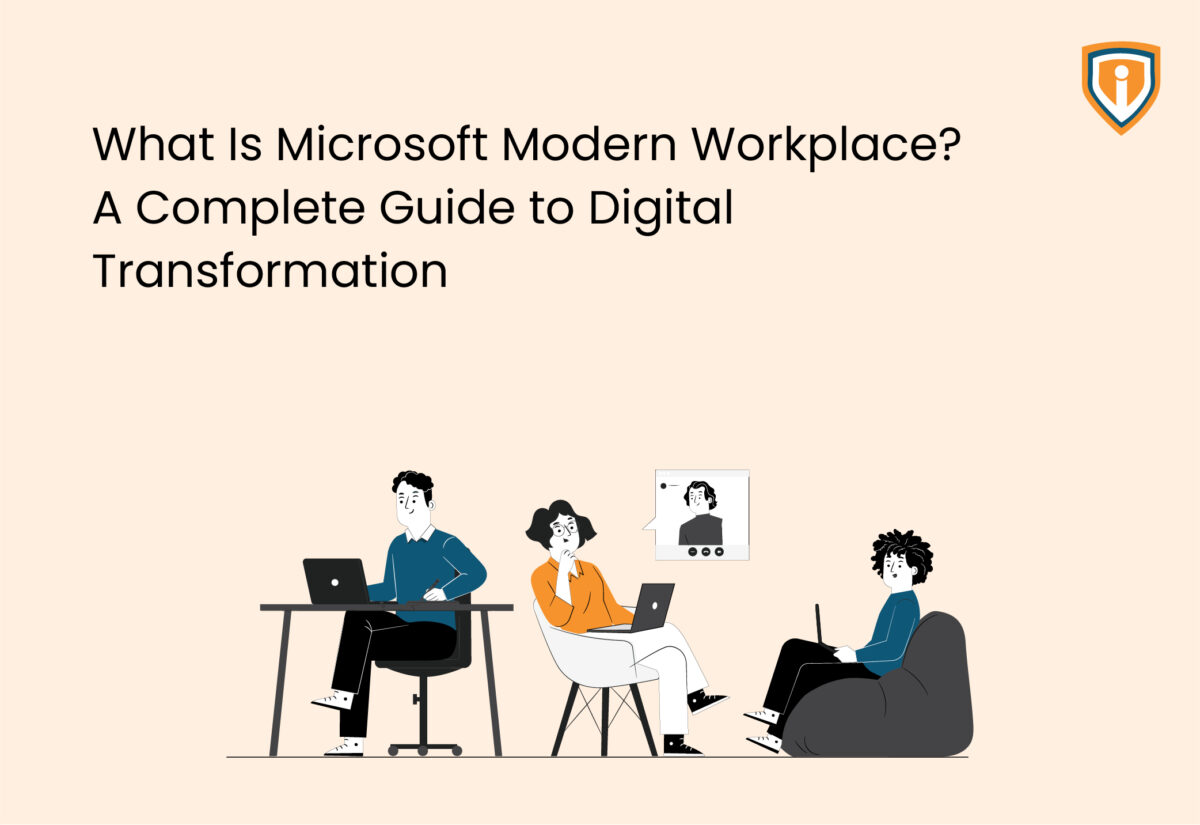
Microsoft Modern Workplace addresses this, though not how most companies expect. This isn’t about deploying new software packages. It’s about rethinking how work happens when “the office” in modern day means wherever employees are that day.
What is the Microsoft Modern Workplace?
It is a comprehensive and self-sufficient ecosystem.
Microsoft 365 workplace forms the base. Surrounding it: identity and access management, threat protection, device governance, AI automation. Working together without three separate logins.
Work doesn’t follow patterns anymore. Employees jump devices constantly. Teams span six time zones. Data flows through networks you don’t control—home WiFi, coffee shops, airports.
The old fortress model? Dead. Microsoft modern work solutions run on zero-trust principles. Every access request gets verified, every time. Paranoid by design, which makes sense when your perimeter dissolved years ago.
Core Components in Microsoft Modern Workplace: What You’re Actually Getting
Collaboration Productivity Tools
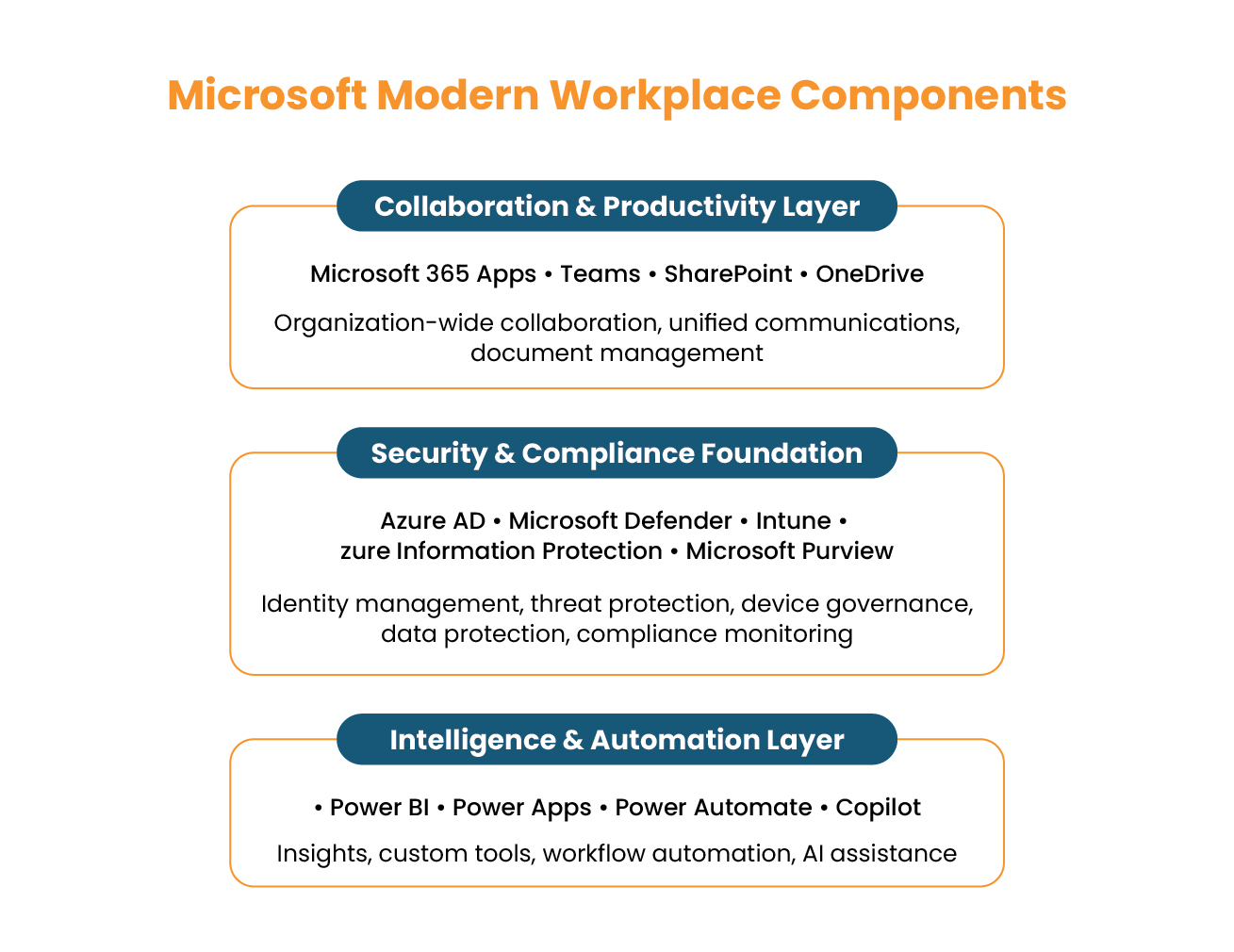
- Microsoft 365 Apps for organization-wide collaboration and productivity
- Teams as unified hub for chat, video, files
- SharePoint for shared files and centralized document management.
- OneDrive for secure storage and backup sync
Security Compliance Infrastructure
Enterprise Mobility + Security handles the heavy lifting:
Identity & Access Management:
Azure Active Directory manages user identities with a strong zero-trust approach, ensuring every access request is verified and secured. Every access request gets verified—no exceptions.
Threat Protection:
Microsoft Defender stops attacks hitting endpoints, email, cloud apps. Catches problems automatically, locks down infected devices, sends IT the full picture.
Device Management:
Intune provides unified endpoint management two ways:
- Mobile Device Management (MDM): Company devices get full central management—encryption, updates, compliance enforced automatically.
- Mobile Application Management (MAM): Personal devices in BYOD scenarios get app-level protection. Corporate data stays secure within managed apps without IT controlling the whole phone.
Conditional Access blocks non-compliant devices automatically.
Windows Autopilot sets up Windows laptops ready to use, while Apple Business Manager does the same for iPhones, iPads, and Macs. Both works very well with Intune to keep devices secure and compliant automatically without any manual steps.
Security baselines apply on first boot. ISO 27001 controls? Applied. CIS Benchmarks? Aligned with before anyone touches the keyboard. SOC 2? Met out of the box.
Data Protection:
Azure Information Protection (AIP) classifies documents based on content. Finds credit card numbers? Marks it confidential, encrypts immediately. Legal team reviewing an M&A deal? Files get Highly Confidential status automatically. Someone tries forwarding externally? Blocked.
Sensitivity Labels apply encryption, restrict sharing, track usage. You can revoke access retroactively—that contract sent last month gets pulled back if negotiations collapse.
Compliance Monitoring:
Microsoft Purview unifies Data Loss Prevention, eDiscovery, Insider Risk Management, as well as Information Governance in one dashboard.
Retention Labels automate data lifecycle management as per regulatory requirements. Financial firms meet SEC and FINRA mandates. Healthcare organizations satisfy HIPAA rules. Documents retained for required periods, then defensibly deleted when legal holds expire.
Intune generates real-time compliance reports:
- GDPR Article 32? Pull the device encryption report.
- HIPAA Security Rule? Access logs export automatically.
- NIST 800-171 controls? Already documented.
At Infrassist, we extend this with compliance alignment templates mapping your Microsoft 365 workplace configuration directly against framework requirements—GDPR, HIPAA, DPDP, ISO 27001, NIST. Auditor asks for evidence? You will have a report showing which technical controls satisfy which regulatory clauses.
Chasing ISO certifications or pitching enterprise clients? This matters.
Continuous monitoring, automated enforcement, audit-ready documentation—that’s what wins deals with regulated enterprise clients.
Automation Layer
- Power BI turns data into useful insights
- Power Apps builds custom tools without coding
- Power Automate kills repetitive tasks
- Copilot brings AI into workflows—power users save 30+ minutes daily
Why Microsoft Modern Workplace Services Matter Now
1. Hybrid Work Hit Hard
87% of employees report they’re productive in hybrid setups, per Microsoft’s Work Trend Index. Great for them. Harder for IT. One-third of meetings cross time zones—up 35% since 2021. Your infrastructure wasn’t built for this.
Here’s what gets missed. It’s not about letting people work from home occasionally. It’s infrastructure working consistently everywhere.
Sales team presenting to a Tokyo client across three home offices hits immediate problems. One rep struggles with VPN access, another can’t pull up the latest proposal because it’s stuck on someone else’s laptop, and the third is working from an outdated version.
What should be a smooth pitch turns into apologies and restarts while the client watches the team fumble through basic coordination. The technical chaos undermines credibility, and the client starts questioning whether this team can actually deliver.
Traditional setups assumed everyone worked from the same building during the same hours. That model died in March 2020.
Companies expanding beyond their primary location need more than “cloud access.” Regional offices need headquarters-level speed. Remote employees need the same tool access as the in-house team. International clients expect zero technical hiccups.
2. Skills Gap Widening
Good talent is harder to find and costs more than ever. You’re fighting other companies for the same handful of candidates, often losing to whoever offers the biggest paycheck. It makes more sense to get more from the team you already have. Modern Workplace tools knock out the tedious stuff. From pulling data to building reports, and chasing approvals. it frees up your people for work that matters.
3. Compliance Intensified
GDPR in Europe. HIPAA for U.S. healthcare. India’s DPDP Act. NIST 800-171 for federal contractors. Manual processes can’t keep pace.
Modern workplace solutions embed controls directly into workflows. Compliance isn’t bolted on after deployment, because it is built in from day one. You’re not scrambling before audits. You maintain continuous adherence through automated policy enforcement and real-time reporting.
Real Impact of Modernizing Workplaces: What Actually Changes
Communication Transforms
Before: Marketing needs deck approval. Emails file to three people. Waits. Gets conflicting feedback in separate reply chains. Spends an hour merging comments. Version 8 final final FINAL.docx
After: Marketing shares the deck in Teams. All stakeholders comment directly in the file. Real-time edits. Single source of truth. Approved in 20 minutes.
Data Work Gets Faster
Before: Finance needs Q3 data from four departments. Sends emails. Chases responses. Manually combines spreadsheets. Finds errors. Starts over.
After: Finance sets up Power Automate workflow. Data pulls automatically. Updates Power BI dashboard. Stakeholders see live numbers without asking.
Security Becomes Proactive
Before: IT gets 2 AM security alert. Can’t tell which device. Manually checks log. Takes 90 minutes identifying compromised laptop.
After: Defender catches threat automatically. Isolates device. Alerts IT with complete context. Resolved in 12 minutes without anyone leaving bed.
Compliance Shifts from Reactive to Continuous
Before: The compliance team emails everyone asking about security training completion. Tracks responses in a spreadsheet. Follows up manually. Preparing audit documentation takes three days.
After: Intune tracks device compliance automatically. Purview shows training status in real-time. Audit reports are generated on demand. The same work takes three hours instead of three days.
Strategic Wins That Compound
Productivity gains: AI power users save 30+ minutes daily. Leaders and managers are also 61% more likely to hear from CEOs about AI. That correlation matters—tech adoption is cultural, not just technical. Teams get better alignment, faster decisions, and less miscommunication.
Business agility: Cloud resources scale instantly with known monthly costs instead of capital budget battles and procurement delays. Remote work capability keeps talent from leaving.
Financial returns: Organizations running Microsoft 365 E3 with Teams and Copilot hit 197% ROI within 3 years. Returns accumulate through vendor consolidation, lower hardware spending, faster project delivery.
Compliance as business enabler:
- Reduced audit risk through automated controls
- Global policy standardization across subsidiaries
- Lower IT overhead via automatic monitoring
- Enhanced trust wins enterprise clients in regulated industries
Infrassist’s Compliance-First Implementation Approach
Generic change management frameworks miss the compliance reality. Organizations deploying productivity tools first, then scrambling to make them compliant later, waste time and money fixing avoidable gaps.
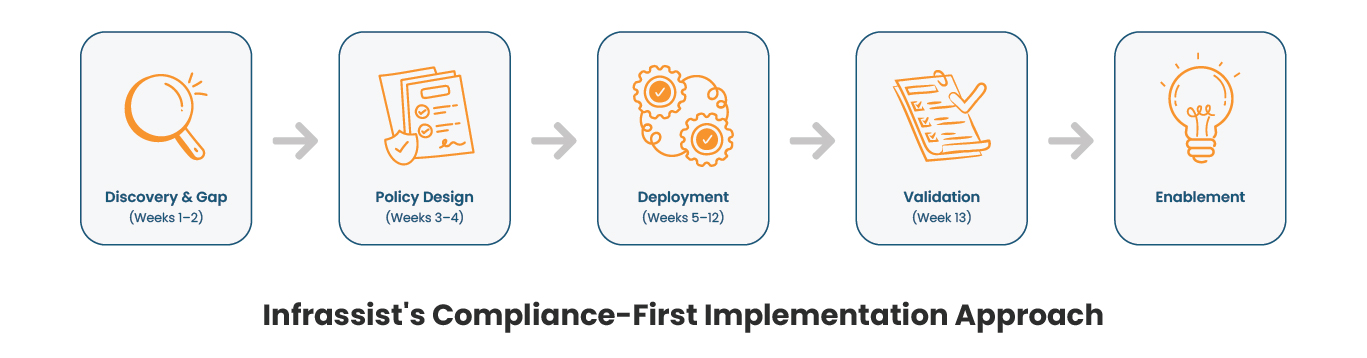
At Infrassist, compliance isn’t an afterthought—it’s architected from day one. Our approach ensures your Microsoft modern digital workplace deployment meets regulatory requirements before users touch their first file
Phase 1 – Discovery Gap Analysis (Weeks 1-2)
We assess your current environment:
- Device governance maturity
- Data handling practices
- Compliance posture against various target frameworks (GDPR, HIPAA, DPDP, ISO 27001, NIST, SOC 2)
You get gap analysis showing missing controls and regulatory exposures.
Phase 2 – Policy and Architecture Design (Weeks 3-4)
We design Intune policies, Conditional Access rules, AIP classifications, and Retention Labels aligned to your specific compliance requirements. Not generic templates—configured for your industry, risk profile, and regulatory obligations.
Payment data? PCI DSS controls configured. Healthcare data? HIPAA safeguards map automatically. EU customer data? GDPR Article 32 protections apply.
Phase 3 – Deployment (Weeks 5-12)
Rollout happens in stages:
- Weeks 5-6: Deploy Teams and OneDrive. Early collaboration wins build buy-in.
- Weeks 7-9: Layer in Intune and Conditional Access. Start with executive pilot, expand by department.
- Weeks 10-12: Activate AIP labels and Purview DLP. Deploy Windows Autopilot and Apple Business Manager for zero-touch provisioning.
Phase 4 – Validation (Week 13)
We validate technical controls against framework requirements:
- Generate compliance reports from Intune and Purview
- Document which Microsoft 365 workplace features satisfy which regulatory clauses
- Provide audit-ready evidence packages
Not theoretical documentation. Actual proof your auditors request.
Phase 5 – Enablement Ongoing Optimization
We train IT administrators on managing Intune policies, responding to Purview alerts, generating compliance reports.
You receive compliance mapping documentation showing how your configuration addresses specific regulatory requirements. When GDPR auditors ask “How do you enforce encryption on mobile devices?”, you hand them the Intune policy report.
Critical success factors:
- Executive sponsorship with visible usage
- Role-specific training on actual workflows
- Designated go-to people in each department who handle common questions before they become IT tickets
- Continuous feedback loops surfacing adoption barriers
- Governance balancing security with productivity
- Custom integrations connect Microsoft 365 workplace to line-of-business systems
Ready to modernize how your team works?
Infrassist builds modern workplace solutions with compliance from day one—secure, automated, and audit-ready.
The Reality
Microsoft Modern Workplace swaps out systems built for everyone sitting in the same building with ones that actually fit how people work now. Your team shares files across different cities without the usual version mess. Security works without forcing everyone through a VPN. Repetitive tasks run themselves. Companies doing this right aren’t just buying new software—they’re changing how decisions get made and work gets done. The gap between them and companies stuck on old systems? It grows every quarter. Faster decisions, lower costs, better hires, quicker launches. Real question is timing—how fast can you make the switch without breaking what already works.