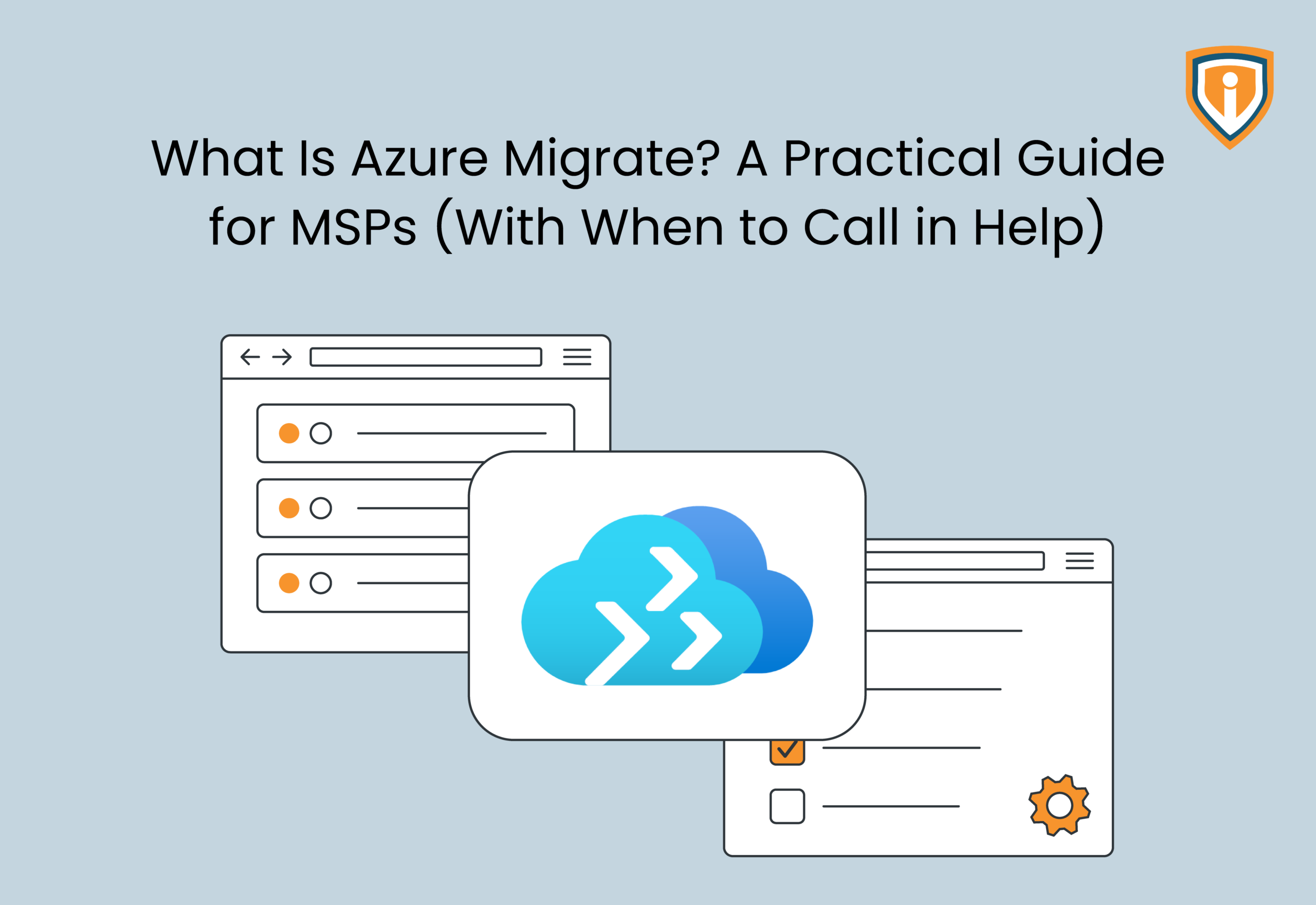
Azure Migrate allows managed service providers to evaluate infrastructure, validate workloads, estimate costs in Azure, and plan migrations to Microsoft Azure. However, Azure Migrate does not cover all technical decisions that need to be made. It is possible for MSPs to perform simple migrations independently, if they have enough knowledge and resources. Complex applications, hybrid systems, strict security policies, and time constraints, on the other hand, may require expert intervention.
Key Takeaways
- Azure Migrate enables MSPs to discover infrastructure, assess workload readiness, estimate costs, and plan for migrating to Azure-supported workloads.
- The platform provides helpful assessment and migration tools, but MSPs still need to ensure dependencies, app testing, security, and other factors.
- In-house migration is more suitable when there is sufficient knowledge about workloads, fewer dependencies, and adequate engineering expertise within MSP.
- More complex applications, hybrid environments, compliance regulations, multiple VMs to migrate, and short deadlines may necessitate assistance from specialists.
- A hybrid approach helps maintain client relationships and control by the MSP, while getting more technical resources from the partner.
Cloud migration projects entail more than simply moving servers from one environment to another. For MSPs, the work also involves client commitments, existing support contracts, maintenance windows, application dependencies, and technicians with a full delivery schedule.
Basically, a migration that looks straightforward during scoping can consume considerably more time once the team starts validating workloads and planning cutovers. Microsoft Azure Migrate helps with discovery, assessment, sizing, and supported migration workflows.
But hold on. While it does give technicians data to work with, it doesn’t resolve every compatibility issue or make architectural decisions for them. This is where the delivery model comes into question.
An MSP with Azure migration experience and available technical capacity may be able to handle the project internally. One dealing with hybrid infrastructure, multiple client environments, or strict uptime requirements may need specialist support for specific stages of the migration.
Let’s learn more about Azure Migrate.
What Is Azure Migrate?
Azure Migrate is Microsoft’s platform for assessing and planning migrations to Azure, with integrated tools and partner solutions. These solutions cover different workloads and migration stages. The platform helps teams account for existing infrastructure, assess workload readiness, estimate Azure resource requirements, and plan the movement of supported workloads.
For an MSP, it provides a starting point for evaluating a client’s existing environment before committing to a migration plan. The assessment data can inform technical scope, resource sizing, migration sequencing, and cost estimates. But technicians still need to validate these findings against the client’s actual infrastructure and operational requirements.
What Azure Migrate Does
Azure Migrate covers several parts of the migration assessment and execution process. The available capabilities depend on the workload, source environment, and tools selected for the project. Let’s consider a few of these parts.
- Infrastructure discovery: Collects inventory data on supported servers and virtual machines, giving technicians a clearer picture of the source environment.
- Readiness assessment: Evaluates workload compatibility with Azure and identifies potential issues that need investigation before migration.
- Sizing and cost estimation: Uses available performance data and assessment settings to recommend Azure resource configurations and estimate running costs.
- Dependency analysis: Helps identify relationships between supported servers, which technicians can use when grouping workloads into migration waves.
- Migration support: Integrates with supported migration tools and workflows for moving workloads, testing the migrated environment, and preparing for cutover.
These functions help establish the technical baseline for a migration. However, they don’t guarantee that every application will run as expected after the move, particularly when the source environment contains undocumented dependencies or legacy configurations.
Azure Migrate Is Not a Complete Migration Strategy
An assessment can identify a server as suitable for Azure without resolving every question surrounding its migration. Although technicians still need to examine application dependencies, identity integration, network connectivity, security requirements, recovery procedures, and the business impact of downtime.
Consider a client running a small group of standalone virtual machines. If the workloads are compatible, dependencies are understood, and the MSP has the necessary Azure expertise, an internal team may be able to manage the migration from assessment through validation.
Now consider a client with interconnected applications, on-premises dependencies, separate business units, and a restricted maintenance window. The assessment remains useful, but the project also requires detailed sequencing, stakeholder coordination, testing, and a credible rollback plan.
At the end of the day, Azure Migrate provides tools and technical data. The MSP remains responsible for interpreting that data, making the right architectural decisions, and delivering a migration that meets the client’s operational requirements.
Core Capabilities and Components of Azure Migrate
MSPs can assess workloads and plan their move to Azure with the help of specialized tools. Of course, which ones are used will depend upon the source environment and the type of workload being migrated. Let’s go into the details.
Discovery and Assessment
Before planning a migration, the team needs to understand the client’s existing infrastructure. Azure Migrate helps with:
- Server discovery: Inventory supported servers and virtual machines
- Readiness assessment: Identify compatibility issues and migration requirements
- Cost estimation: Estimate Azure resource requirements and running costs
- Dependency analysis: Identify connections between supported servers to help plan migration order
The findings help MSPs estimate the work involved and identify issues that need attention before migration begins.
Migration Tools for Different Workloads
Azure Migrate supports different migration paths for different workloads. Depending on the project, MSPs may use tools to migrate:
- Physical servers and virtual machines
- Supported databases
- Web applications
- Other supported workloads, using the relevant assessment or migration tools
The team should confirm compatibility and choose the appropriate migration method before committing to a plan. Not every workload follows the same process.
Testing, Replication, and Cutover Planning
During Azure migration, the team also needs to confirm that applications work as expected and users can access them.
Key tasks include:
- Replicating supported workloads and monitoring progress
- Testing migrated systems before production cutover
- Checking network connectivity, permissions, and application dependencies
- Scheduling downtime with the client
- Preparing a recovery plan if validation fails
The exact process depends on the workload and migration method.
What the Platform Doesn’t Decide for You
Azure Migrate provides technical information, but MSPs still need to decide how to handle the project. That includes application testing, security requirements, downtime, migration order, and whether a workload should move as-is or be changed first.
These decisions also help determine whether the in-house team can manage the migration or needs specialist support.
When Azure Migrate Is Enough: Scenarios MSPs Can Handle In-House
An in-house migration makes sense when the environment is familiar, the scope is manageable, and the team has enough time and experience to deliver the work. Here’s a snapshot of what that would look like.
Small, Well-Understood Workloads
A small migration may be suitable for in-house delivery when:
- Server configurations and dependencies are documented
- The target Azure environment is ready or straightforward to configure
- Downtime and testing requirements are clear
- Technicians understand the source environment and migration method
A small project can still carry significant risk if a server supports a critical business application. Workload size alone shouldn’t determine the decision.
Lift-and-Shift Projects with Few Dependencies
Moving compatible workloads to Azure with minimal changes can be manageable when applications have few dependencies and the existing setup is well understood.
Before proceeding, the team should confirm VM sizing, network settings, access permissions, and the testing plan. Existing performance or configuration problems may also need attention before migration.
Migrations with Available Skills and Sufficient Capacity
Even an experienced team can struggle if technicians are already committed to daily support and other projects.
In-house delivery is a practical option when the MSP has:
- Technicians familiar with the source platform and Azure
- Clear ownership of planning, migration, and testing
- Enough capacity to meet the schedule without neglecting support work
- A plan for escalating issues the team can’t resolve
If those conditions aren’t met, bringing in additional help may be more practical than stretching the existing team.
When Azure Migrate Isn’t Enough: Signs You Need Specialist Support
Some projects require expertise or capacity the MSP doesn’t have internally. These are the situations where a specialist partner may be worth considering, and might include:
Multi-Tenant Environments and Multiple Client Migrations
Managing migrations across several clients means coordinating different configurations, permissions, schedules, and business requirements.
Specialist support can help when the MSP is handling multiple migrations at once or lacks enough technicians to deliver them alongside routine support. The partner can take on defined technical tasks while the MSP retains the client relationship.
Hybrid Environments and Interconnected Applications
Migrations become more complex when applications depend on systems that will remain on-premises or in another cloud.
Specialist help may be useful when projects involve:
- Applications spread across multiple servers or locations
- Hybrid identity and network configurations
- Databases or integrations that must move in a specific order
- Legacy applications with unclear dependencies or compatibility issues
In these cases, the team needs to test how the systems work together, not just whether individual servers start successfully.
Regulated Workloads and Strict Compliance Requirements
Clients may have specific requirements for data access, security, audit records, and retention. Azure Migrate doesn’t determine whether the proposed environment meets those obligations.
Consider specialist support when the project requires detailed security reviews, documented approvals, or technical changes to meet the client’s compliance requirements. The MSP must still ensure that the appropriate requirements are understood and approved.
Large VM Counts, Tight Deadlines, or Limited Internal Capacity
Large migrations require coordination across workloads, testing schedules, and cutover windows. Even familiar workloads can become difficult to manage when deadlines are tight.
Additional support may help when:
- Many VMs need to be migrated in planned waves
- Several teams must coordinate testing and cutover
- The deadline leaves little room for delays
- Internal technicians cannot manage migration work alongside existing commitments
Before engaging a partner, agree on responsibilities for planning, execution, client communication, and issue resolution. This keeps delivery organised without handing over more control than necessary.
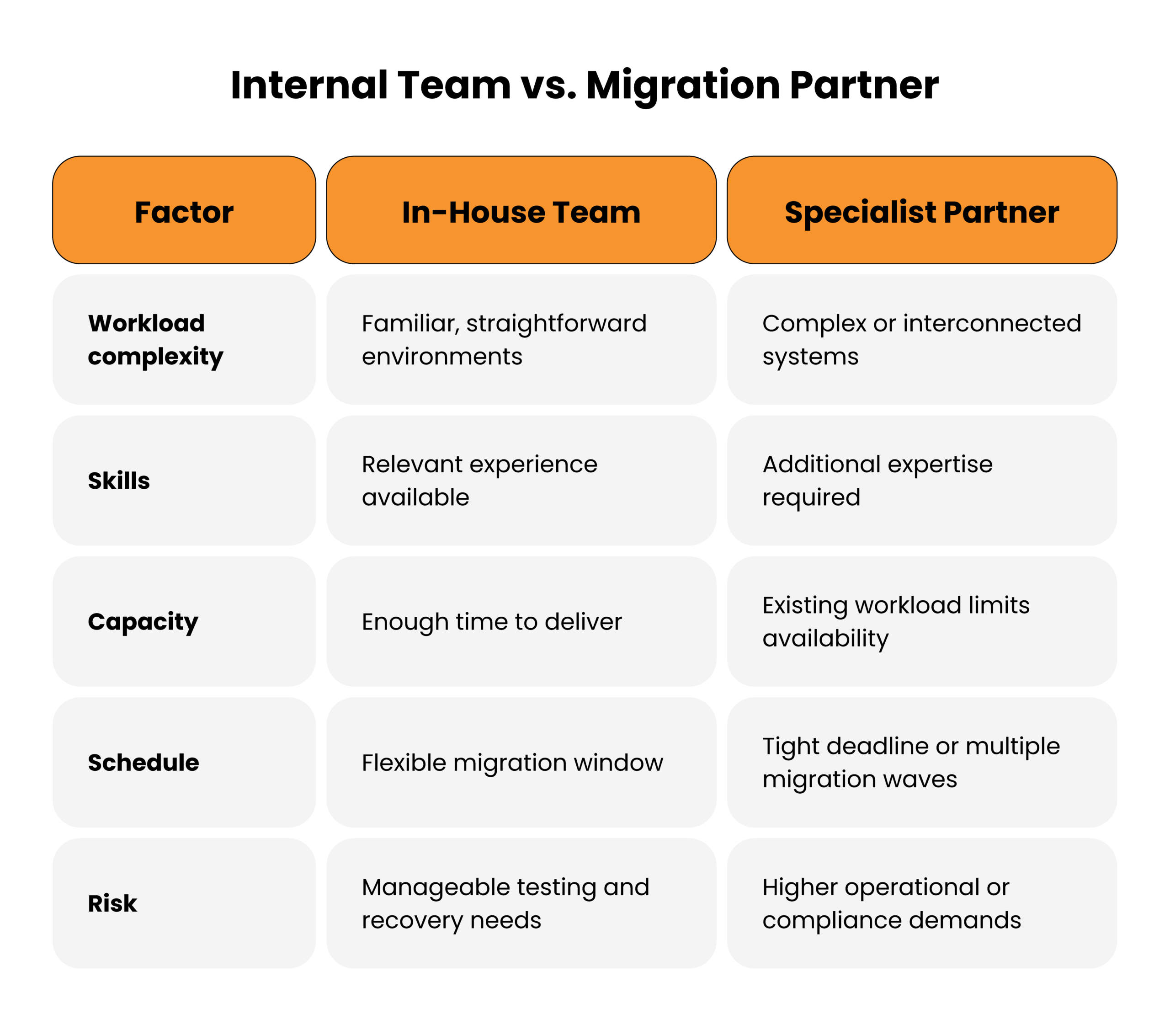
The Decision Framework: Internal Team vs. MSP Partner
The final choice depends on the complexity of the migration, the skills available, and the time your team can commit. Use the following factors to decide how to deliver the project.
Before committing to a migration plan, assess:
- Workload complexity: Are the applications and their dependencies well understood?
- Technical skills: Has the team handled similar migrations before?
- Available capacity: Can engineers manage the project alongside existing support work?
- Downtime tolerance: Can the client accommodate testing and cutover within the proposed schedule?
- Risk and compliance: Are there requirements that need specialist knowledge or additional review?
When a Hybrid Delivery Model Makes More Sense
The MSP doesn’t have to choose between handling everything internally and outsourcing the entire project.
A hybrid approach lets the internal team manage client communication and project coordination while a specialist partner supports assessment, migration, testing, or cutover. This can be useful when the MSP has the client knowledge but needs extra engineering capacity.
How Infrassist Approaches Azure Migrate Projects
Infrassist works with MSPs that need technical support for client infrastructure projects. For Azure migrations, the approach should be based on the environment, the project requirements, and the work the MSP needs help with.
Assess the Environment Before Committing to a Migration Plan
Start by understanding the existing infrastructure, workload dependencies, and migration requirements. This helps identify potential issues before the MSP agrees to a delivery schedule.
Plan Migration Waves, Testing, and Cutover
The migration plan should define the order of work, testing requirements, downtime, and responsibilities. For larger projects, dividing workloads into waves can make progress easier to track and issues easier to isolate.
Support the MSP Without Taking Over the Client Relationship
A specialist partner should work within the MSP’s delivery model, with clear responsibilities and agreed communication channels. The MSP retains the client relationship while receiving technical support where it is needed.
It’s best to discuss the project scope and required support with Infrassist before deciding which parts of the migration to handle internally.
Planning an Azure Migration? Know When to Bring in Help
Get the technical support your team needs to plan and deliver client migrations with confidence.
Conclusion
Azure Migrate can aid an MSP in assessing the workload and planning the migration process, but the execution will largely depend on the environment’s complexity and the competencies of the team.
Before getting into the project, you need to analyze what is involved in the migration and whether your team is capable of undertaking it without compromising your current client obligations. Should you require more expertise or engineering manpower, Infrassist can assist in this regard.