Discover how Infrassist enhanced the document management for the legal team of a UN-backed public health organization in Geneva by implementing SharePoint Online as a comprehensive Document Management System (DMS).
This case study showcases the transition from a third-party SaaS application to an integrated SharePoint Online solution, including custom approval workflows, DocuSign integration, and efficient contract management tailored to the client’s needs.
Download the Full Case Study
Every implementation detail, technical approach, and business outcome of this case study packaged up for your quick reference.
Download as PDF
Project Overview
Infrassist Technologies was engaged to implement SharePoint Online as a Document Management System (DMS) for the legal team of a UN-backed public health organization in Geneva, Switzerland.
The primary project scope includes configuring all key DMS functions under SharePoint Online for their legal contracts and setting up custom approval workflows as per the client’s unique needs.
The scope also includes:
- Provisioning a new SharePoint Site under their Office 365 Tenancy
- Migration of their existing contract documents from their current DMS to configured SharePoint Online site
- Integration of DocuSign application
Technical Challenges
The client’s legal team previously used Open Bee Cloud DMS, a third-party SaaS application, for managing their contracts, custom metadata columns information, and approval workflows. Since they already had a Microsoft 365 Tenant Subscription for their corporate emails and Office applications, the team was looking forward to a more integrated experience.
Hence, this project aimed to eliminate the reliance on Open Bee Cloud by leveraging SharePoint Online’s capabilities for their legal contract management, including custom content types, metadata columns, and setting automated workflows using Microsoft Power Platform.
Solution
The primary objective was to transition TMPP’s legal team to SharePoint Online for full-fledged Contract Management. The intention was to provide them a simplified, well-integrated experience, enhance their document management workflows, and automate approval processes.
Project Phases and Process
Phase 1: Discovery & Design
- We conducted an in-depth discovery session to understand the existing Open Bee Cloud DMS platform and held workshops with InterHyve’s stakeholders and TMPP’s legal team to finalize the new SharePoint site layout.
- This phase also involved understanding the current document approval workflows, defining custom content types, and metadata columns. Post which, we prepared a design document illustrating these elements and got it approved from the stakeholders.
Phase 2: Implementation of DMS & Content Approval Workflows
- We set up the SharePoint Online site, including document libraries, custom content types, and metadata columns according to the approved design.
- Enabled Content Approval feature for document library & developed an approval process workflow using Microsoft Power Platform.
- Additionally, we developed a Project & Task Tracker using Microsoft Lists and as well as integrated dedicated web part for news publication
- We then set up DocuSign integration and migrated existing documents from Open Bee Cloud to SharePoint Online DMS.
Phase 3: Testing & User Training
- We tested the new system and validated the approval process, application of custom metadata columns, and DMS functions.
- For smooth adoption, we created a comprehensive user guide and conducted user training sessions.
- The project concluded with the successful go-live of the SharePoint Online DMS 4.0 site, complete with all required features.
Key Features Implemented
| Easy Document Management: | Ability to create, drag/drop, and upload documents in SharePoint site with OCR based search and browser preview. |
| Document Categorization and Metadata: | Automatically request to enter tags/metadata using custom forms. Create standard templates for in-house content with metadata already set and allow only authors to work in the template drafts folder. Set single click option to enter the basic file info and making that available for search and grouping. |
| Approval Workflows: | Trigger approval processes directly from the library. Once approved, the document is saved in the final location (which was configured in document properties). |
| Document Editing & Version Control: | Required user comments when editing documents, ensuring an audit trail. When a document is finished and ready for publishing, a new version is automatically created during check-in. The system supports easy creation, archiving, and editing of documents. |
| Project & Task Tracker: | Develop project and task tracking using Microsoft Lists. Stay organized, in-sync, and efficient! |
| DocuSign Integration: | Integrated DocuSign app (which was a significant application in this case) within their SharePoint site. |
| News Fetching: | Integrated their custom web part for news publishing. |
I might sound less humble, but we bring the PRO to Professional Services. We’re not just a service provider; we intend to be a
strategic partner. When you work with us, you tap into a wealth of experience, deep expertise, and a passion to maximize impact to the our best of abilities.
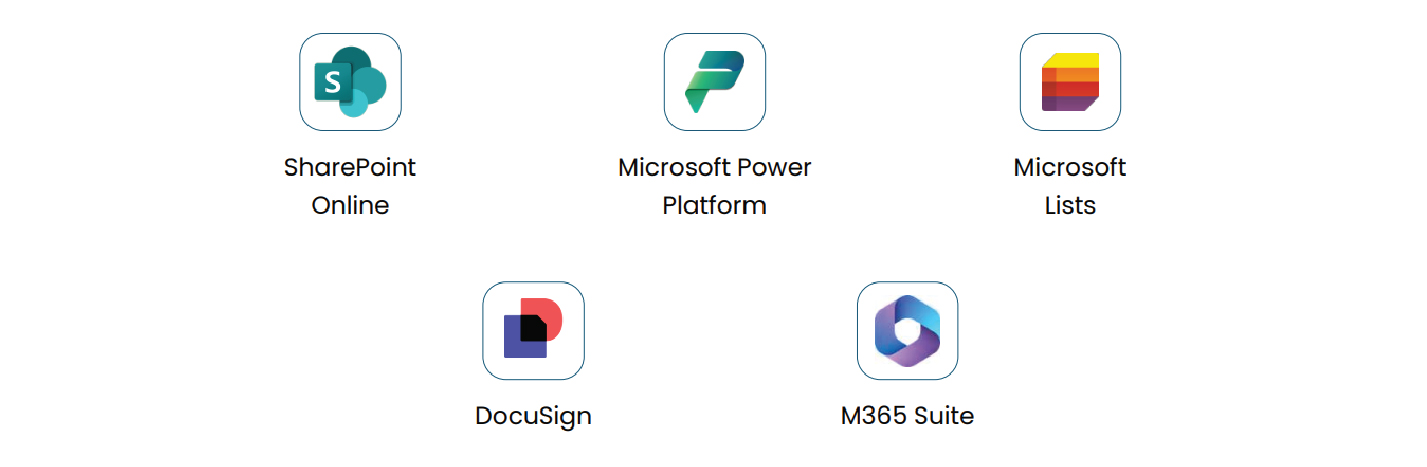
Technologies Used
Outcome
The project successfully delivered a modern SharePoint Online Site Environment, complete with all the key DMS functions, approval workflows, DocuSign integration (in-use third party app), news fetching, and a proper Project and Task tracker. The client’s legal team can now benefit from a streamlined, efficient document management system tailored to their specific needs.
Key Benefits
- Efficient Document Management
- User-Friendly Experience
- Streamlined Workflows
- Operational Efficiency
- Improved Security
- Simplified Access Management
- Time Saving