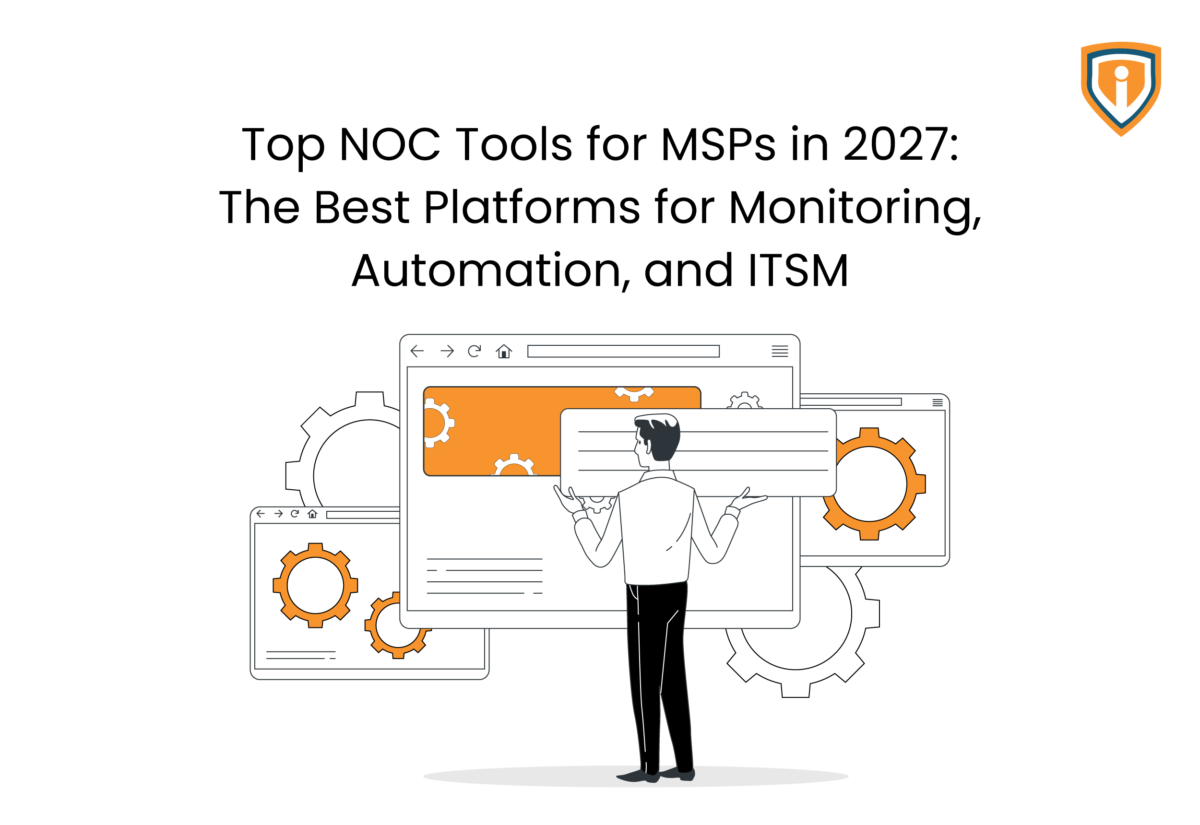
The best NOC tools for MSPs in 2027 combine infrastructure monitoring, alert management, automation, remote management, and ITSM. Platforms such as NinjaOne, ConnectWise RMM, ServiceNow, PRTG, Datto RMM, Freshservice, and Atera address different parts of the NOC stack, so the right choice depends on your clients, existing tools, scale, and operational needs.
Key Takeaways
- Network operations center tools allow MSPs to monitor their networks, endpoints, servers, and infrastructure with fewer manual checkups and improved issue detections.
- NinjaOne, ConnectWise RMM, Datto RMM, and Atera allow monitoring with endpoints management and remote management features.
- SolarWinds, LogicMonitor, PRTG, and OpenNMS deal with network and infrastructure monitoring.
- ServiceNow, Freshservice, and Jira Service Management are good at ITSM workflow, while BigPanda is an alert correlation tool for incident management.
- Choosing the best NOC tool for you will depend on your specific needs with respect to monitoring, the client’s environment, and factors like integrations, scaling, and more.
Running a NOC for multiple clients means keeping track of a lot at once. Servers, endpoints, networks, patches, alerts, tickets, remote access, configuration changes, and the occasional issue that needs attention right now.
Doing all of this manually is impractical. Moreover, it doesn’t take long for technicians to end up jumping between several tools just to understand what’s happening in one client environment.
NOC tools can come in handy here. A good platform can monitor systems, flag problems, automate routine work, help technicians respond remotely, and connect incidents with the right service workflows.
Of course, not every tool does all of these things equally well.
For MSPs, the challenge is finding the platforms that fit their service model, client environments, and existing technology stack without generating more work to be done.
This post will look at some of the top NOC tools for MSPs in 2027, while touching upon platforms for monitoring, automation, remote management, and IT service management.
Quick Comparison of the Top NOC Tools
| NOC Tool | Category | Best For |
| NinjaOne | RMM & Monitoring | MSPs that need endpoint management, monitoring, patching, and automation in one platform |
| ConnectWise RMM | RMM & Automation | MSPs managing large client environments with extensive automation and third-party patching needs |
| ServiceNow | ITSM & Service Operations | MSPs serving enterprise clients that need advanced ITSM, incident management, and service workflows |
| PRTG Network Monitor | Network & Infrastructure Monitoring | MSPs that need detailed visibility into networks, servers, applications, and infrastructure |
| Datto RMM | RMM & Monitoring | MSPs looking for endpoint management, monitoring, automation, and integration with the wider Kaseya ecosystem |
| Freshservice | ITSM & Helpdesk | MSPs that need structured ticketing, incident management, service requests, and helpdesk workflows |
| Atera | RMM & ITSM | Growing MSPs that want RMM, helpdesk, ticketing, and automation in a single platform |
| SolarWinds | Network & Infrastructure Monitoring | MSPs that need deep monitoring across networks, servers, applications, logs, and infrastructure |
| LogicMonitor | Monitoring & Observability | MSPs managing complex, multi-client environments that need infrastructure monitoring, alerting, and observability |
| OpenNMS | Network Monitoring | MSPs looking for highly configurable, scalable network monitoring with open-source flexibility |
| BigPanda | AIOps & Incident Management | Larger IT operations teams that need event correlation, incident intelligence, and automated root-cause analysis |
| Jira Service Management | ITSM & Service Management | MSPs that need flexible ticketing, incident management, change management, and service workflows |
Top NOC Tools for MSPs in 2027
The NOC stack in 2027 is less about stacking tools and more about choosing platforms that quietly do the heavy lifting while your team focuses on actual delivery. Monitoring, automation, and ITSM are now tightly stitched together, and the tools below reflect this shift.
1. NinjaOne
NinjaOne has earned its reputation. Voted the top RMM tool for 23 consecutive quarters, it handles endpoint monitoring, automated patching, remote access, and alert management from one dashboard.
The interface is clean, onboarding is faster than most comparable platforms, and the automation capabilities are deep enough to handle the majority of routine NOC work without a technician touching it.
It’s a strong default choice for MSPs that want a reliable, well-supported platform without a lengthy implementation project.
Why NinjaOne?
- Unified endpoint monitoring and management across Windows, macOS, and Linux
- Automated patching with high success rates and minimal manual oversight
- Clean multi-tenant dashboard built for managing multiple client environments
- Fast onboarding compared to legacy RMM platforms
- Strong integration with major PSA and ticketing tools
Pros
- Fast deployment compared to many established RMM platforms.
- Strong automation capabilities for patching and endpoint management.
- Easy-to-navigate interface with a short learning curve.
- Supports Windows, macOS, and Linux environments.
Cons
- Limited ITSM capabilities compared to dedicated service management platforms.
- Costs can increase as endpoint counts grow.
- Advanced reporting often requires additional customization.
2. ConnectWise RMM
ConnectWise has a broader ecosystem play than most. The RMM sits inside a wider platform that also covers PSA, ticketing, security, and backup, which works well for MSPs that want everything connected and are willing to go all-in on a single vendor stack. The AI-assisted ticketing and alert triage have improved meaningfully in recent releases.
The trade-off: if you’re not building a ConnectWise shop, some of the platform’s value doesn’t translate. It’s also heavier to implement than lighter alternatives.
Why ConnectWise RMM?
- AI-powered alert triage and automated ticket workflow
- Deep integration across the full ConnectWise platform
- Strong fit for MSPs already using ConnectWise PSA or Manage
- Customer-facing portals for end-user visibility
- Scalable across large, complex client environments
Pros
- Strong fit for MSPs already using the ConnectWise ecosystem.
- Mature automation and scripting capabilities.
- Integrates closely with PSA and service delivery workflows.
- Suitable for larger and more complex client environments.
Cons
- Implementation can take longer than lighter RMM platforms.
- New users often face a steeper learning curve.
- Some features provide the most value only when paired with other ConnectWise products.
3. ServiceNow
ServiceNow is the enterprise standard for a reason. Incident management, change control, problem management, and workflow automation are all mature and deeply configurable. If your clients are large organizations with complex ITSM requirements, nothing on this list matches their capability ceiling.
Having said that, it’s expensive, implementation takes months, and running it well requires dedicated platform resources. Worth it at enterprise scale, overkill for anything smaller.
Why ServiceNow?
- Gold standard for enterprise ITSM and workflow automation
- Omnichannel support with AI-assisted ticket management
- Handles complex incident, change, and problem management at scale
- Integrates with major cloud platforms including AWS, Azure, and GCP
- Best suited to MSPs supporting large enterprise clients
Pros
- Highly scalable ITSM foundation for enterprise-grade MSP operations.
- Strong workflow automation across incident, problem, and change management.
- Extensive integration ecosystem for complex IT environments.
- Robust reporting and governance capabilities for compliance-heavy clients.
Cons
- High cost makes it less suitable for smaller MSPs.
- Requires significant setup and configuration effort.
- Can feel overly complex for teams that only need core ITSM functions.
4. PRTG Network Monitor
PRTG is the go-to for MSPs that want deep, granular network visibility with on-premises control. It monitors IT, OT, and IoT infrastructure from a centralized interface, and the flexibility in configuration is hard to match. If a client environment has unusual or legacy infrastructure, PRTG tends to handle it where cloud-native tools hit their limits.
The sensor-based licensing can get unpredictable in very large or highly dynamic environments, so it’s best suited to MSPs managing complex, stable infrastructure where visibility depth matters more than automation breadth.
Why PRTG Network Monitor?
- Centralized monitoring across IT, OT, and IoT infrastructure
- On-premises installation gives full data control
- Highly configurable for non-standard or legacy environments
- Strong reporting and threshold-based alerting
- Flexible scaling for mid-sized MSPs
Pros
- Strong real-time network visibility with flexible sensor-based monitoring.
- Simple setup for core monitoring use cases.
- Customizable dashboards for different client environments.
- Works well in hybrid infrastructure setups.
Cons
- Limited built-in ITSM or ticketing features.
- Large-scale deployments can require careful sensor management.
- Alerting can become noisy without proper tuning.
5. Datto RMM
Datto RMM is a cloud-based platform that has held its MSP focus even after the Kaseya acquisition. Automated monitoring, intelligent alerting, remote access, and patch management are the core capabilities, and they’re executed reliably.
Nobody picks Datto RMM for the interface. They pick it because it works, the documentation is actually useful, and it doesn’t throw surprises at you mid-deployment. If you’re already in the Kaseya ecosystem, it’s a natural fit. If not, it still holds up on its own.
Why Datto RMM?
- Cloud-based with strong automated monitoring and alerting
- Reliable patch management with streamlined remote access
- Proven stability across a large MSP user base
- Deep integration with Kaseya and Datto product lines
- Straightforward implementation with good documentation
Pros
- Strong MSP-first design with reliable automation workflows.
- Good balance between usability and advanced features.
- Tight integration with backup and business continuity tools in the Datto ecosystem.
- Efficient device onboarding and management at scale.
Cons
- Best value is realized within the Datto ecosystem.
- Reporting depth may feel limited for advanced analytics needs.
- Pricing can be less flexible for smaller MSP setups.
6. Freshservice
Freshservice has moved well beyond basic helpdesk functionality.
Recent AI updates added automatic ticket summaries, GenAI-powered knowledge suggestions, and anomaly detection dashboards that catch emerging problems before SLAs are at risk. It’s ITSM-first rather than RMM-first, so it works best when paired with a dedicated monitoring tool rather than as a standalone NOC platform.
For MSPs supporting clients with formal ITSM requirements and helpdesk services, Freshservice is one of the easier platforms to implement and maintain without a long runway.
Why Freshservice?
- AI-powered ticket summaries and knowledge suggestions built in
- Anomaly detection that surfaces issues before SLA breaches
- ITIL-aligned workflows without enterprise-scale complexity
- Clean interface with faster time-to-value than heavier ITSM tools
- Good integration options with external RMM platforms
Pros
- Clean and intuitive ITSM interface suitable for fast adoption.
- Strong automation for ticket routing and service workflows.
- Good fit for mid-sized MSPs focusing on service delivery efficiency.
- Includes built-in asset and service catalog management.
Cons
- Not a full replacement for advanced RMM platforms.
- Customization depth is limited compared to enterprise ITSM tools.
- Some integrations require additional configuration effort.
7. Atera
Atera takes the all-in-one approach seriously — RMM, helpdesk, ticketing, and remote access in a single platform, priced per technician rather than per endpoint. That pricing model alone makes it interesting for MSPs with dense device estates. The platform has leaned hard into AI over the past year, adding automated ticket summaries, anomaly detection, and AI-driven knowledge suggestions that genuinely reduce resolution time.
It’s not the deepest tool on this list, but for growing MSPs that don’t want to manage four separate platforms, it’s a practical and cost-effective starting point.
Why Atera?
- Per-technician pricing with no per-endpoint cost as client devices scale
- RMM and helpdesk combined in one platform
- AI-powered features for ticket triage, summaries, and knowledge suggestions
- Good fit for small to mid-sized MSPs consolidating their stack
- Fast setup with minimal administrative overhead
Pros
- All-in-one RMM and PSA model reduces tool sprawl.
- Per-technician pricing model can be cost-effective for smaller teams.
- Built-in automation for routine MSP tasks.
- Quick setup with minimal infrastructure overhead.
Cons
- May not scale as smoothly for very large enterprise MSPs.
- Advanced customization options are limited compared to modular stacks.
- Reporting and analytics may feel basic for power users.
8. SolarWinds
SolarWinds is a network and infrastructure monitoring platform. It helps NOC teams track devices, network performance, traffic, availability, and infrastructure health from one place.
For MSPs, it is useful when technicians need deeper network visibility than a typical RMM provides. It can also help identify performance issues and send alerts when something needs attention.
Why SolarWinds?
- Strong network monitoring capabilities
- Supports multi-vendor environments
- Provides detailed performance data
- Useful for troubleshooting network issues
Pros:
- Deep network visibility
- Wide range of monitoring options
- Strong alerting and reporting
- Supports many device types
Cons:
- Can take time to configure
- More complex than basic RMM tools
- May be more than smaller MSPs need
9. LogicMonitor
LogicMonitor is a cloud-based monitoring and observability platform. It tracks networks, servers, cloud environments, applications, and other infrastructure from a central dashboard.
Its multi-tenant setup makes it particularly relevant to MSPs managing several client environments. Automated discovery and monitoring can also reduce some of the manual setup involved when adding new infrastructure.
Why LogicMonitor?
- Designed for multi-client environments
- Covers cloud and on-premises infrastructure
- Automates infrastructure discovery
- Provides centralized monitoring and alerts
Pros:
- Strong MSP capabilities
- Broad monitoring coverage
- Automated discovery
- Good visibility across client environments
Cons:
- Can be more than smaller MSPs need
- Initial setup may take time
- Costs can increase with scale
10. OpenNMS
OpenNMS is an open-source network monitoring platform for tracking network performance, faults, traffic, and availability. It supports a wide range of network devices and data sources.
Its biggest advantage is flexibility. MSPs with the technical expertise can customize OpenNMS to fit specific monitoring requirements instead of relying entirely on predefined workflows.
Why OpenNMS?
- Open-source and highly customizable
- Strong network monitoring capabilities
- Supports large environments
- Works with multiple monitoring protocols
Pros:
- Flexible and customizable
- Strong network monitoring
- Scales across distributed environments
- Open-source option
Cons:
- Requires technical expertise
- Setup can be demanding
- Less beginner-friendly than commercial tools
11. BigPanda
BigPanda is an AIOps platform designed to help IT teams manage large volumes of alerts and incidents. It collects events from different monitoring tools and groups related alerts into incidents.
For an MSP, this can help reduce alert overload and give technicians more context when investigating an issue. It works alongside existing monitoring tools rather than replacing them.
Why BigPanda?
- Correlates alerts from multiple tools
- Helps reduce duplicate alerts
- Supports faster incident investigation
- Connects with ITSM platforms
Pros:
- Strong alert correlation
- Reduces alert noise
- AI-assisted incident analysis
- Works with existing monitoring tools
Cons:
- Not an RMM platform
- Better suited to complex IT environments
- Adds another layer to the NOC stack
12. Jira Service Management
Jira Service Management is an ITSM platform for managing incidents, service requests, problems, and changes. It gives teams a structured way to handle tickets and track service workflows.
For MSPs already using Jira or other Atlassian products, it can be a practical choice for connecting technical support with service management. It is more focused on workflows and tickets than infrastructure monitoring.
Why Jira Service Management?
- Flexible ticket and incident workflows
- Strong Jira integration
- Supports SLAs and service requests
- Useful for teams already using Atlassian
Pros:
- Flexible workflows
- Strong ticket management
- Good Jira ecosystem integration
- Customizable service portals
Cons:
- Not an RMM or monitoring tool
- Customization can add complexity
- Better suited to teams already using Jira
How We Compared These NOC Tools
All of these platforms were compared against the operational requirements an MSP NOC deals with every day. These include:
- Monitoring: Network, endpoint, server, cloud, and infrastructure coverage
- Automation: Patching, alert handling, remediation, and recurring NOC tasks
- ITSM: Ticketing, incident management, change control, and service workflows
- Multi-tenancy: Client separation, permissions, dashboards, and management at scale
- Integrations: RMM, PSA, ITSM, security, and other systems already used by MSPs
- Usability: Deployment effort, configuration overhead, reporting, and day-to-day administration
A platform can have a long feature sheet and still create more administrative work than it removes. When scoring these tools, we considered how they are likely to fit into an MSP’s existing NOC stack and operating model.
Why NOC Tools Matter Way More Than You Think
NOCs might employ good technicians and yet lack sufficient tools because there are simply too many systems, alerts, devices, and different client environments to monitor manually. The right tools can help in the following ways:
- Problems are detected earlier on. A server with low disk capacity or a network device that drops packets need not wait until the client notifies them. The monitoring system detects them on its own.
- Technicians will no longer repeat themselves. Health checks, patching, alert processing, and other periodic tasks are better performed automatically by scheduled jobs.
- Alerts become more meaningful. Filtering and correlation make sure that technicians do not end up investigating hundreds of alerts, which turn out to be one issue after all.
- Troubleshooting begins from concrete data. Instead of asking “what changed” or “where it began,” technicians analyze performance metrics, events history, dependencies, and other affected devices.
- Managing multiple clients becomes practical. An MSP may have very different environments running at the same time. Multi-tenant monitoring keeps those environments separated while giving the NOC a central view.
- SLA reporting has something behind it. Uptime, response times, incidents, and recurring issues can be tracked from system data rather than reconstructed from technician notes at the end of the month.
Of course, not every part of the NOC can or must be automated. Specialist technicians still need to investigate, make judgment calls, and deal with issues the monitoring system cannot predict. The tooling merely handles the repetitive visibility and response work so they can focus where human judgment actually matters.
How to Choose the Right NOC Tool
Picking a NOC tool comes down to whether or not it can fit the way your team works on a usual day. If it slows people down or creates extra steps, it’s already the wrong choice.
Here’s what to look at before deciding:
- How clearly it shows problems: If every issue looks like noise, the tool isn’t helping.
- How much you can automate: Patch jobs, routine fixes, and repetitive tasks should not need constant attention.
- How it handles tickets and workflows: If it doesn’t connect smoothly to service management, you’ll feel it later.
- Whether it can grow with you: What works for 200 endpoints might fall apart at 2,000.
- How quickly your team can learn it: If onboarding feels like training for a maze, it’s going to lower/delay adoption.
- How well it fits your current stack: The best tool is usually compatible with your already existing system.
At the end of the day, the right choice is the one your team doesn’t complain about months down the line.
White Label Your NOC Services
Tools don’t run themselves, and the operational weight of keeping a NOC running around the clock, watching alerts, actioning tickets, making sure nothing slips through, falls somewhere, offering NOC-level coverage without the overhead of building it internally.
Infrassist offers white-label managed NOC services that plug into your existing tool stack, whichever RMM, PSA, or ticketing platform you’re running. The team operates under your brand, follows your processes, and handles the monitoring, alerting, and first-response work that would otherwise stretch your technicians thin.
With 24/7 support operations, 100+ certified technicians, and 150+ partnerships globally, Infrassist functions as a genuine extension of your team and not a call center working off a script.
Level Up Your NOC Operations in 2027
Choose smarter monitoring, automation, and ITSM tools built for modern MSPs today.
Conclusion
The final word is: there’s no universal or singular best NOC platform for businesses out there.
While NinjaOne and ConnectWise RMM have concentrated on RMM and automation, Datto RMM and Atera provide a combination of RMM and additional services. PRTG, SolarWinds, LogicMonitor, and OpenNMS give more emphasis to network and infrastructure monitoring, whereas ServiceNow and Jira Service Management are geared towards ITSM. Freshservice specializes in service desk management, while BigPanda revolves around AIOps and incident management.
The final decision will depend on your NOC infrastructure and other factors. Monitoring capabilities, automation, integration, scalability, and convenience remain key concerns. The ideal tool would be the one that fits your current infrastructure and doesn’t add to your NOC team’s burden.