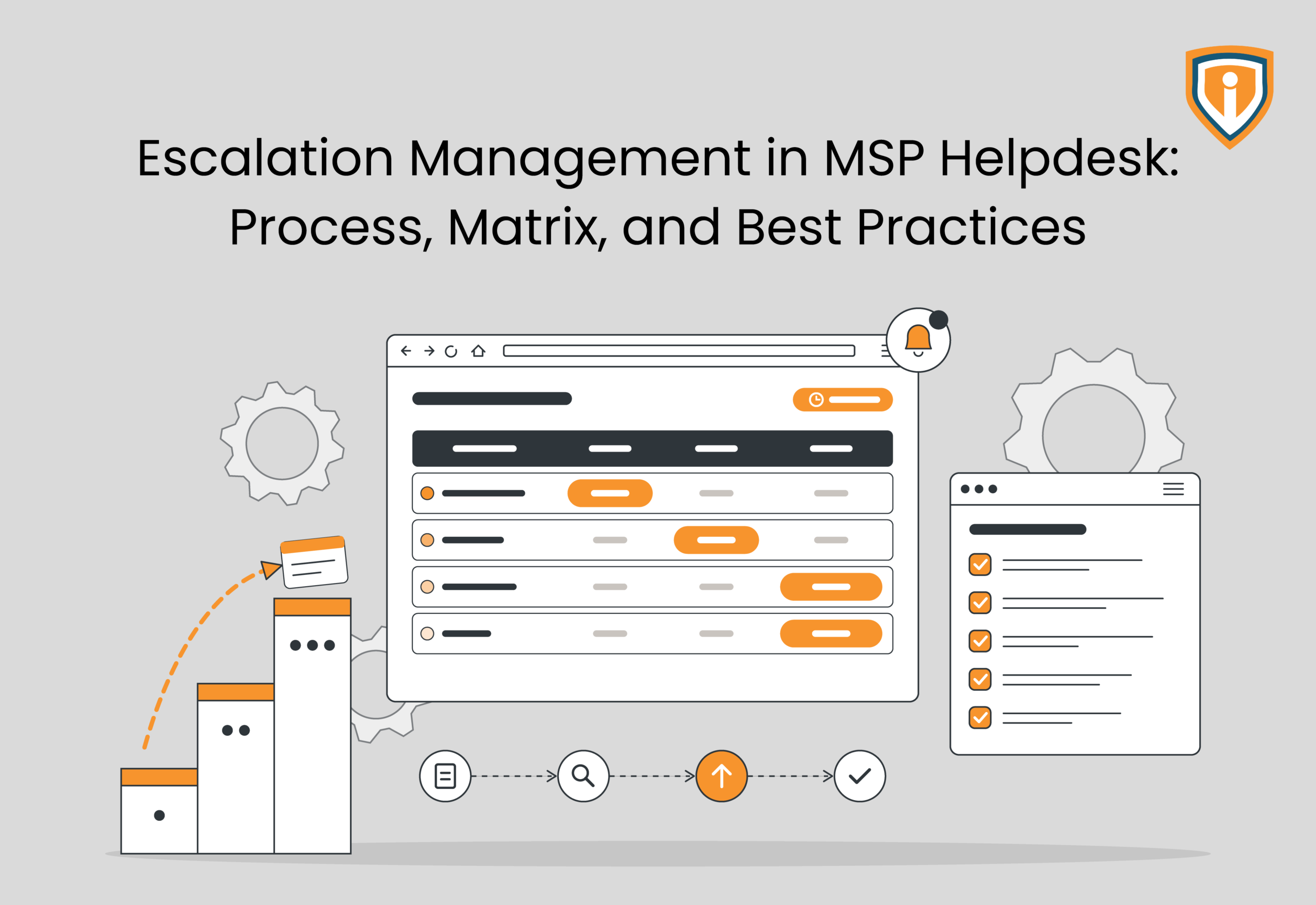
Escalation management in an MSP helpdesk is the process of routing unresolved IT tickets to the right support tier, specialist, manager, or vendor before delays affect SLAs. It involves clear escalation triggers, a defined L1-L3 escalation matrix, documented troubleshooting, and accountable ticket ownership. MSPs can improve resolution times by automating SLA alerts, standardizing handoffs, tracking recurring incidents, and reviewing escalation performance regularly. Outsourced L1-L3 support can address gaps in technical expertise and coverage.
Key Takeaways
- The escalation management process establishes the criteria for moving tickets through L1, L2, L3, management, or vendor, establishing accountability with documented follow-up actions.
- Issues can be escalated in cases of troubleshooting hitting a roadblock, insufficient technical access, recurring incidents, approaching SLAs deadlines, or failure of critical services.
- The good escalation matrix identifies the ticket scenarios, the level of support that it belongs to, escalation criteria, acknowledgment timeframes, communication, and after-hours contact.
- PSA alerts, standardized transitions, major incident process, and SLA breach analysis assist MSPs in identifying and overcoming delays in escalations.
- Outsourced L1 to L3 helpdesk support service by Infrassist assists MSPs with overcoming technical expertise and coverage issues.
An MSP can have skilled technicians, a robust PSA platform, and well-defined SLAs, and still struggle with issues related to ticket resolution. The problem often starts when there’s lack of awareness about exactly when to escalate an issue, who should take ownership, or how quickly the next support tier needs to respond.
When tickets wait in queues or are passed between L1, L2, and L3 without proper diagnostic notes, the resolution times increase. Further, SLA deadlines become harder to meet.
In all of this, clients rarely care which support tier owns the ticket. What they do care about is getting the issue fixed.
Structured escalation management gives MSPs a defined process for routing tickets, assigning responsibility, and involving specialists before delays affect service delivery. Infrassist’s outsourced L1-L3 helpdesk support can help MSPs manage escalations when internal teams lack the coverage or technical expertise required.
It’s time to go into the nitty-gritty of what escalation management for MSPs really entails and how to avoid some common mistakes.
What Does Escalation Management Mean for MSPs?
Escalation management defines when a ticket needs another support tier, management intervention, or an external vendor. For MSPs supporting multiple client environments, the process must account for technical complexity, business impact, contractual SLAs, and the expertise available at each tier.
Three escalation types typically apply:
- Functional escalation: L1 transfers a firewall configuration issue to L2 when troubleshooting exceeds its technical scope. If L2 cannot isolate the fault, L3 may need to investigate routing, policies, or network dependencies.
- Hierarchical escalation: A service manager or account lead intervenes when a critical ticket needs additional resources, management decisions, or urgent client communication.
- SLA-based escalation: A PSA workflow flags a ticket approaching its response or resolution deadline. The assigned technician or service manager can reprioritize work before the contractual target is missed.
These paths can overlap. For instance, a widespread Microsoft 365 outage may require L3 troubleshooting, management notification, and a vendor support case at the same time.
Interestingly, routine ticket escalation is different from major incident management. For example, a single user’s connectivity issue may follow the standard support queue. A site-wide outage affecting business operations needs coordinated incident response, clear ownership, stakeholder updates, and potentially an on-call team.
The UK government’s service management good practice guidance reinforces the importance of managing incidents and service delivery in line with agreed SLAs. For MSPs, this means escalation procedures must reflect contractual commitments rather than informal team preferences.
When Should an MSP Escalate a Helpdesk Ticket?
Escalation should depend on predefined triggers rather than a technician’s willingness to ask for help. After all, waiting too long can consume the remaining SLA window, particularly when the next tier needs time to investigate dependencies or obtain privileged access.
Common triggers include:
- Troubleshooting has stalled: Documented diagnostic steps have failed to isolate the cause, and repeating them is unlikely to help.
- Access or expertise is insufficient: The assigned technician lacks the required permissions, product knowledge, or authorization to make the necessary changes.
- The issue keeps recurring: Repeated incidents involving the same endpoint, firewall, or service may indicate an underlying configuration or infrastructure problem.
- An SLA deadline is approaching: The remaining time is insufficient for the next support tier to investigate and resolve the issue within the agreed target.
- Business impact is critical: A production outage, widespread authentication failure, or suspected security incident requires immediate escalation under the relevant response procedure.
A useful handoff must contain more than a ticket number and a brief description. The receiving technician needs the affected users or systems, timestamps, error messages, relevant logs, troubleshooting results, recent changes, access limitations, and pending actions.
Ticket ownership must remain explicit throughout the transfer. The receiving tier should acknowledge the handoff, while the designated owner or service desk continues tracking progress and client communication. If an external vendor becomes involved, the MSP should record the vendor case number, response commitments, and next follow-up time in the original ticket.
Cisco’s service level management guidance recommends tracking response time, resolution time, escalation procedures, and service performance against defined objectives. These kinds of records help MSPs identify whether delays stem from technical complexity, inadequate escalation timing, or gaps in support coverage.
How to Create an Escalation Matrix for Your Helpdesk
An escalation matrix turns support procedures into specific actions. It should identify the trigger, responsible team, acknowledgment target, escalation path, and communication owner for each scenario.
Start by mapping the services covered under each client contract. Define what L1 can resolve independently, which issues require L2 expertise, and when L3, a service manager, or an external vendor must take over. Then connect those responsibilities to PSA workflows, SLA timers, and on-call schedules.
Here’s an illustrative matrix to help you understand better. Actual acknowledgment targets and escalation thresholds should reflect contractual SLAs, incident severity, and available staffing.
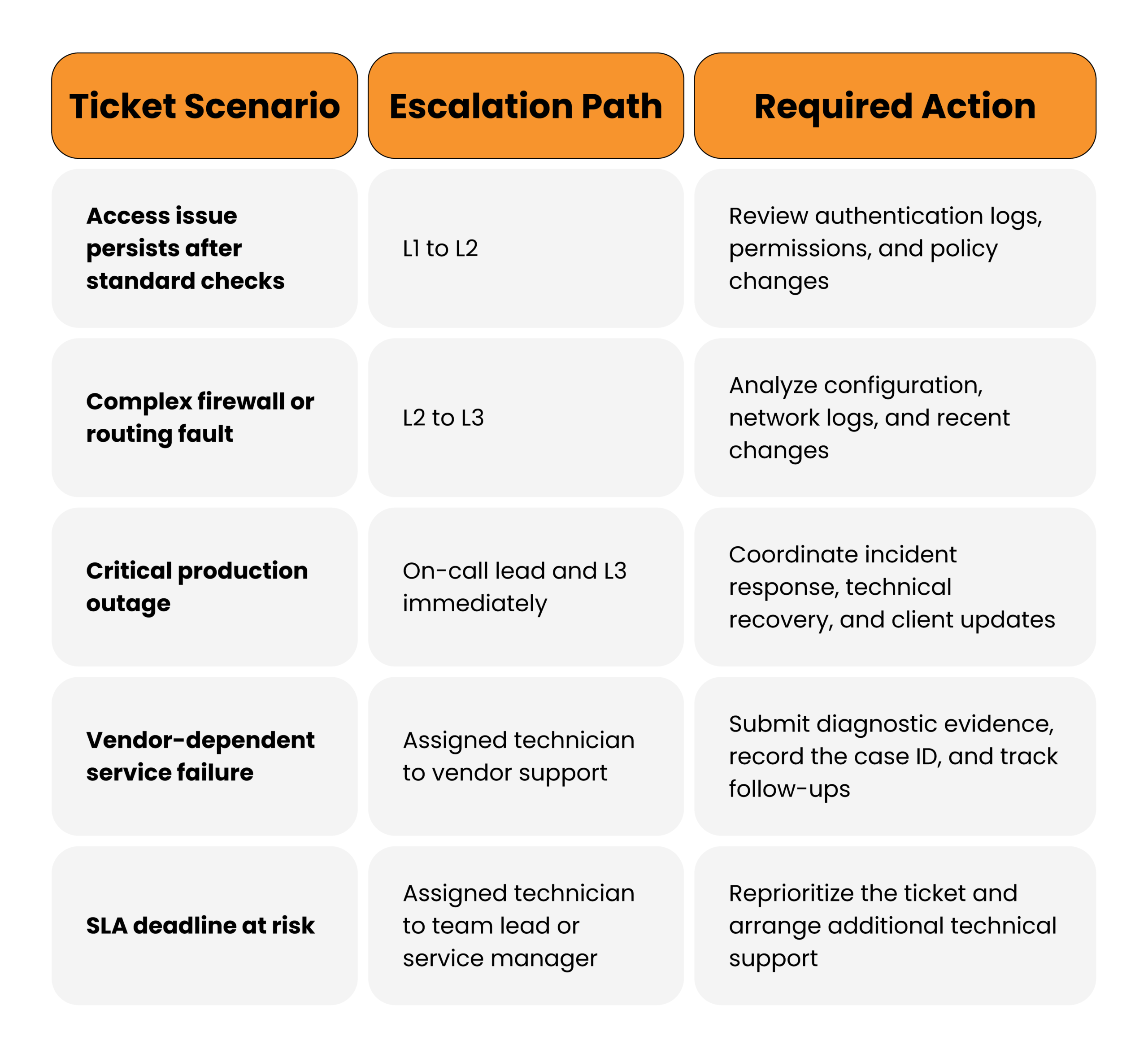
The matrix also needs an after-hours escalation path. Specify who receives critical alerts, how quickly an unacknowledged alert moves to the backup contact, and who handles client updates when the primary service manager is unavailable.
Finally, review the matrix whenever client infrastructure, vendor contracts, support tiers, or staffing arrangements change. Cisco’s guidance also highlights the need to define off-hours support, priority levels, escalation procedures, and measurable response and resolution targets. These details make the matrix usable during an actual incident.
How to Manage Escalations Without Delaying Resolution
A defined escalation matrix is useful only if the helpdesk follows it during live ticket handling. MSPs need workflows that identify stalled tickets, preserve diagnostic history, and bring the right technician into the issue before the SLA expires.
Configure PSA workflows around escalation triggers. Set automated alerts for approaching SLA deadlines, tickets without updates, repeated reassignments, and incidents awaiting vendor responses. Use priority and business impact to determine which alerts require immediate action. A ticket that has sat untouched for two hours may need intervention, but so might one that has received several updates without meaningful progress.
Standardize ticket handoffs and shift changes. Make it mandatory for technicians to document the symptoms, affected systems, troubleshooting completed, relevant logs, recent changes, and next action. The receiving technician should acknowledge responsibility rather than simply accepting the assignment. At shift changes, flag open critical incidents, pending approvals, vendor dependencies, and deadlines that fall within the next shift.
Separate major incident response from routine ticket handling. Critical outages need a designated incident lead, an assigned technical response team, an agreed communication cadence, and a clear recovery priority. The incident lead coordinates the response while technicians investigate. This prevents multiple people from issuing conflicting updates or making uncoordinated changes to production systems.
Review escalation data to identify recurring delays. Track escalation rates by support tier, time spent at each tier, SLA breaches, repeat incidents, reassignment frequency, and vendor response delays. High L1-to-L2 escalation rates may indicate a training gap or an overly restrictive L1 scope. Repeated L2-to-L3 escalations involving the same issue may point to a knowledge gap, recurring infrastructure faults, or insufficient specialist coverage.
This is also where Infrassist’s outsourced L1-L3 helpdesk support can work. MSPs that lack round-the-clock coverage or specialist expertise can bring in additional technical capacity without routing every complex ticket through an already occupied internal team. The arrangement works best when escalation thresholds, client communication responsibilities, PSA access, and ticket ownership are agreed upon before support begins.
Common Escalation Mistakes That Delay Ticket Resolution
Most escalation delays come from gaps in execution rather than the absence of a documented process. A few recurring mistakes deserve particular attention.
- Waiting for an SLA breach before escalating: A ticket can remain technically within its SLA while having almost no realistic chance of meeting the resolution target. Escalation should account for remaining time, issue complexity, and the next tier’s workload.
- Transferring tickets without diagnostic evidence or clear ownership: The next technician spends time repeating checks, gathering missing information, and identifying what has already been attempted. Require documented troubleshooting results and an explicit owner for every handoff.
- Treating recurring symptoms as separate incidents: Repeated password failures, unstable connectivity, or recurring firewall issues may share an underlying cause. Link related tickets, investigate recurring patterns, and initiate problem management when the evidence warrants it.
- Using outdated escalation contacts and procedures: Staff may contact former technicians, use incorrect vendor details, or follow paths that no longer match the client’s infrastructure. Review contact lists, access permissions, on-call rotations, and vendor support entitlements whenever the environment changes.
- Escalating without defining the next action: Assigning a ticket to L2 or L3 does not establish what needs investigation or when progress must be reported. Specify the outstanding technical question, expected next step, and follow-up deadline.
Ultimately, an escalation process should reduce uncertainty at every handoff. If tickets repeatedly stall at the same tier, miss the same deadlines, or return to the same technicians, the escalation policy needs a closer review. More ticket transfers will not solve a workflow that consistently sends issues to the wrong people.
Improve Your MSP Helpdesk Escalation Process
Get the technical coverage, clear escalation paths, and support expertise needed to resolve tickets before SLA deadlines slip.
Conclusion
Managing escalation within an MSP helpdesk entails more than just shifting tickets through different levels of support. It involves setting escalation criteria, ownership, troubleshooting, and SLA alerts to ensure that escalations continue moving forward. Reviews of escalation frequencies, fault occurrences, and resolution times can help understand what is not working before it starts affecting service delivery.
When internal teams are unable to handle difficult tickets due to resource constraints, outsourced L1-L3 helpdesk support can help your MSP deal with resulting issues without increasing the in-house workforce.
Remember, every escalation should have a specific direction, every ticket an owner, and every client an answer. With proper systems in place, you should be able to spend less time chasing tickets, and more time ensuring your clients’ business runs smoothly.