Aktiv Software was facing challenges in having transparent visibility on activities occurring in the network. With the new work-from-home model, they experienced surge in malware incidents, unproductive browsing started happening, and several malwares were found on the endpoint. With no central control ready, current endpoint protection was stand alone, unmanaged, and heavy bandwidth utilization and users complain of less speed. The primary resolution the challenges required. Discover how the strategic deployment of Sophos Central Synchronized Security transformed Aktiv Software’s network landscape, mitigating bandwidth issues and enhancing control.
Download the Full Case Study
Every implementation detail, technical approach, and business outcome of this case study packaged up for your quick reference.
Download as PDF
Solution
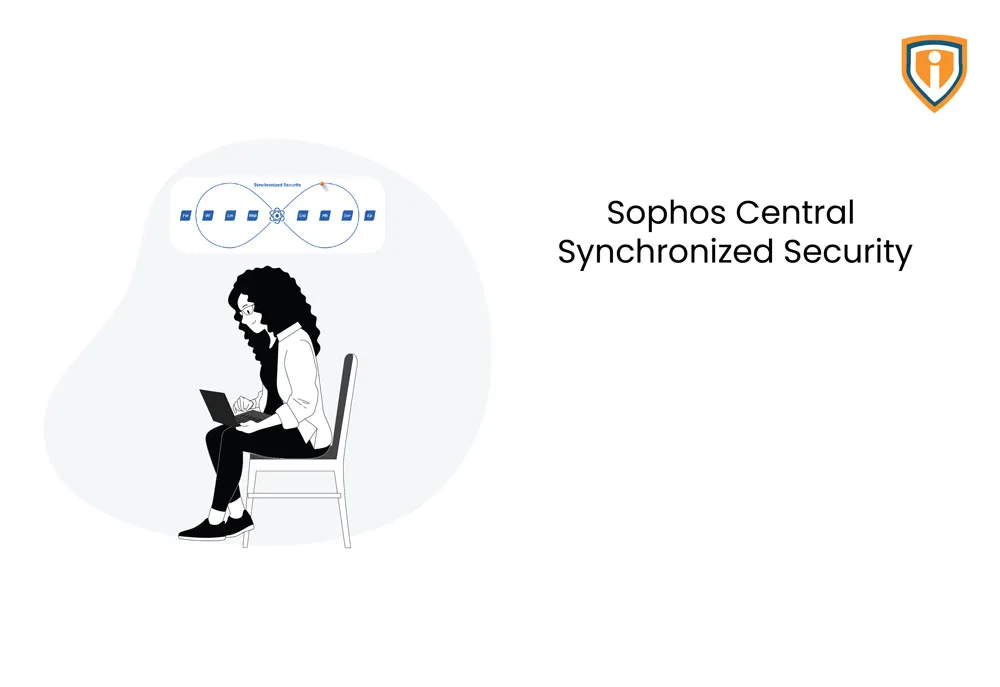
Our team provided a complete solution that involves the security of a UTM/Firewall along with AV protection that communicate and work with each other to protect against attacks. E.g. If a user’s machine is infected, it spreads to all the network drives that the machine is connected to, which needs to be curtailed to minimize data loss in the event of an attack. We helped enable Sophos Endpoint Agent to communicate with the XG firewall; and if it detects that the device has been compromised, then it will immediately signal the firewall and block all internal and internet communications to try and minimize the spread.
We used Sophos central to manage Client and Server Endpoints, and XG Firewalls from a single place for all the customers. Malware and Virus threats, Firewall configuration and firmware upgrades, as well as license management for customers can be done centrally for all customers from a single place
Below are the key steps followed
- Setup Sophos XG Firewall on all branches with the Firewall rules and Web and application policies as per requirement
- Setup VPN Tunnels between the head office and branches for inter-branch connectivity
- Setup SSL VPN or Sophos Connect for remote or work from home users
- Install Endpoint Agents on all devices
- Enable Sophos Synchronization on XG and ensure that the Control Center displays the device status and Security Heartbeat
- Configure minimum Heartbeat and block devices with no Heartbeat on
the firewall rules
- Heartbeat can also be enabled for connections coming in via VPN
- Use RED devices to connect the branches
- Endpoint policy blocks USB and applications
- QoS on Firewall that separates noise from business traffic with priority
- Reports bookmarked and sent on schedule to user email
- Use synchronized authentication for transparent login
- This will isolate the infected device and disconnect it from internet and internal network if the Endpoint detects an attack until its resolved
- The firewalls can also be managed from Sophos Central to push policies and updates from a single location instead of accessing each individual firewall to make the same changes
- Affected machines and threats can be viewed for all customers from the Central Dashboard, and we can also access one of the customers’ dashboard to investigate in more detail
- Sophos Central also sends alerts if any VPN tunnel or gateway on a managed firewall is down
Technical Challenges
Aktiv Software was facing challenges in having transparent visibility on activities occurring in the network. With the new work from model, the complains of malware increased, unproductive browsing started happening, and several malwares were found on the endpoint. With no central control ready, current endpoint protection was stand alone, unmanaged, and heavy bandwidth utilization and users complain of lessspeed. The primary resolution the challenges required
- Failover links so the connection between branches is stable in case of ISP issues
- The up-to-date endpoint agent on all devices
- The scanners, printers, phones, etc, and external users such as contractors or guests to be whitelisted or bypassed from the Heartbeat rule
Technologies Used

Accomplishment
- Endpoint management solution based on Client Server architecture
- Malware reporting and isolation of infected endpoints
- Seamless VPN operation
- Transparent User authentication without installation of any clients on endpoints/AD
- Interconnect branch traffic – backhaul through head office with visibility
- Blocked USBs, applications that can download malware on endpoints
- Blocked unproductive browsing for users on network