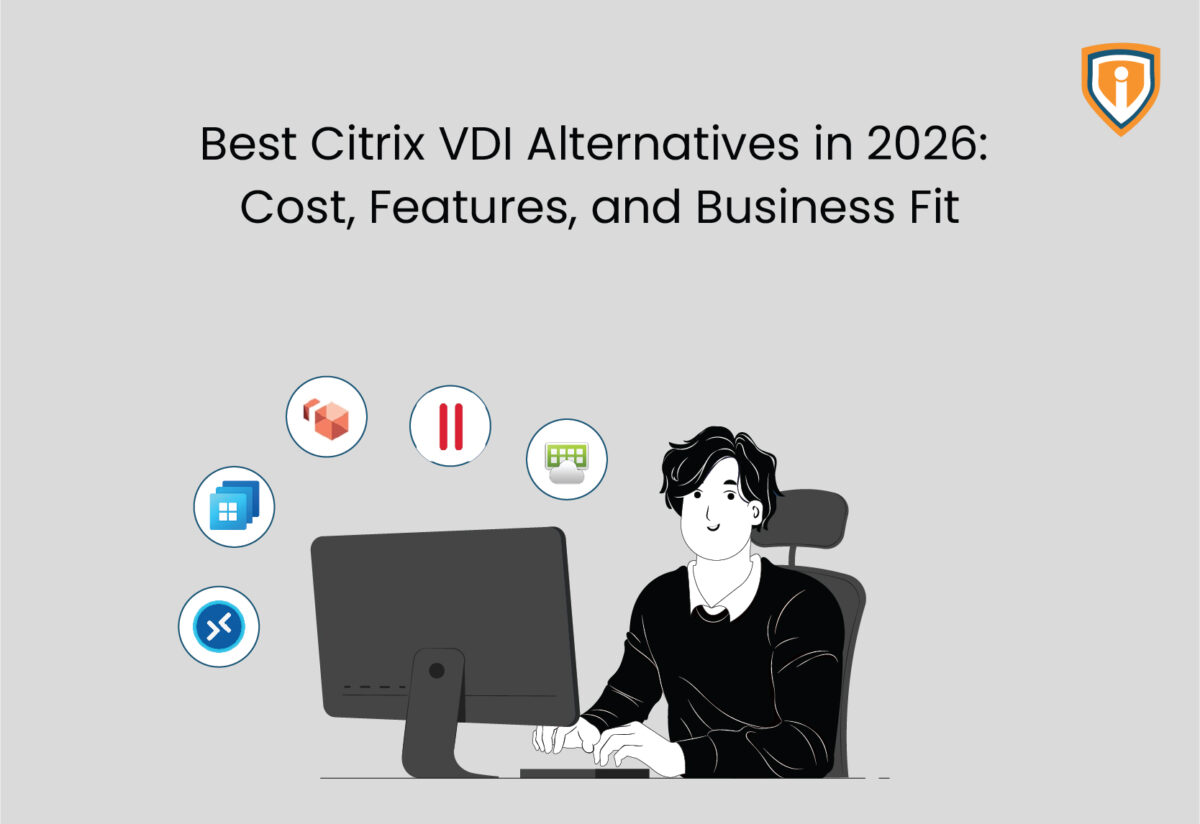
Your latest Citrix renewal quote landed with a number nobody budgeted for. You are not alone. A slew of IT teams are searching for Citrix VDI alternatives this year, and there is one specific reason why: April 15, 2026. That is the day file-based licensing stops working, confirmed by Citrix itself, no exceptions written in. It sits on top of a pricing model that has already climbed steadily since 2022. Bad timing, worse budget cycle.
The desktop-as-a-service market backs this up with a number of its own: roughly 4.3 billion dollars in 2025, headed toward 6 billion by 2029. Not a niche decision anymore, not by a long shot. Some readers got here searching “Citrix replacement software.” Others just wanted the best virtual desktop software 2026 has to offer. Either way: here is what is actually available, what it costs, and where it fits, including one honest admission up front. A well-known alternative on this list sits close to Citrix on price. It earns its place anyway.
Why Businesses Are Rethinking Citrix in 2026
Cloud Software Group formed in 2022, when Vista Equity Partners and Evergreen Coast Capital merged Citrix with TIBCO Software. Perpetual licensing died the same year. Not a coincidence. The merger and the licensing shift landed inside the same twelve months, and every Citrix product moved to term subscriptions as a result. Renewal increases since then trace back to three specific levers: forced conversion off legacy licenses, higher minimum purchase commitments, and bundled editions that fold in components nobody asked for. Citrix VDI cost concerns, and the search interest in Citrix Workspace alternatives that follows them, largely start right here.
Technical, not commercial. That is the better way to describe the harder deadline. Citrix has confirmed directly that file-based licensing stops functioning after April 15, 2026. Any on-premises component still running the old method loses functionality that day. No grace period. No exceptions. Teams on older builds now have a hard upgrade sitting on their calendar, separate from whatever number their renewal quote already threw at them.
Then there is Broadcom, which is a different company entirely, though a lot of searches assume otherwise. “Citrix Broadcom price increase” gets typed into Google constantly, and the honest answer is that the two pricing stories are unrelated. They just landed in the same budget cycle, which is rough luck for anyone trying to plan a year ahead. Broadcom acquired VMware in late 2023, eliminated its perpetual licenses, introduced per-core minimums, and then sold VMware’s end-user computing division, Horizon included, to KKR in mid-2024. That business runs under a new name now: Omnissa. Same platform, same team, most IT shops still call it VMware Horizon out of habit, so this piece does too. Naming aside, the timing is what actually matters: two major platforms went through ownership and pricing shakeups within roughly the same eighteen months. That is not a coincidence IT leaders can afford to wait out, which is exactly why they are pricing out Citrix alternatives before their renewal date arrives.
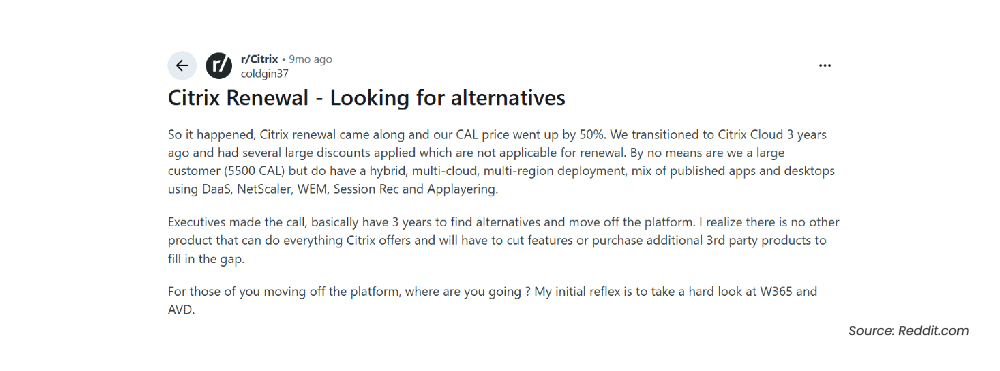
This is not just a pattern showing up in analyst reports either. On Reddit’s r/Citrix community, one admin managing a mid-sized, multi-region hybrid deployment described a renewal where the ‘CAL price went up by 50 percent,‘ despite years of discounts that simply did not carry forward.
What the Analysts Are Actually Seeing
Gartner’s latest Magic Quadrant for desktop as a service, published in August 2025, evaluates AWS, Microsoft, Citrix, and VMware (Omnissa) among its covered vendors. That alone says something: Citrix has not fallen out of favor, it is still evaluated in the same breath as the platforms trying to replace it. Anyone running an actual VDI vs DaaS comparison or searching for DaaS alternatives and the best VDI alternatives more generally, is looking at the same list of names.
Gartner’s own summary of the report is direct about where the market stands: desktop as a service is now deployed inside most organizations, though usually to a minority of employees within them. Secure remote work remains the primary driver, but cost, operational efficiency, and sustainability increasingly factor into the decision too.
What to Check Before You Switch
Define what matters before comparing platforms, not after. Finding the best VDI solutions for your environment starts with the checklist below. A Citrix alternative that looks cheaper on the pricing page can still be a bad trade if it creates new problems elsewhere.
- Total cost of ownership. Not just the license line. Infrastructure, storage, and the admin hours each platform eats up.
- Fit with what you already run. Microsoft 365 shops find a Microsoft-native option easy. VMware shops gravitate to Horizon.
- Non-negotiable for healthcare, finance, and anywhere else data residency matters. This is usually the deciding factor for teams searching specifically for secure remote desktop alternatives to Citrix.
- Admin overhead. Some platforms are simple to run day to day. Others need a full-time hire.
- End-user experience, which IT teams underrate constantly. A clunky login process erases whatever you saved on the back end.
Top Citrix Alternatives Worth Evaluating in 2026
Azure Virtual Desktop
Microsoft built Azure Virtual Desktop to run inside your own Azure subscription. That single fact changes the entire pricing conversation. No flat per-user fee. AVD bills for compute, storage, and networking as you actually use them, full stop. The Citrix vs Azure Virtual Desktop cost comparison usually comes down to workload pattern, not sticker price. Pooled, multi-session workloads, auto-scaling that powers virtual machines down the moment nobody is logged in- that is where AVD earns its keep.
Teams without in-house Azure skills feel the friction fast. Host pool sizing, autoscale rules, image management, someone has to own these decisions, and getting them wrong shows up directly in the monthly bill.
Organizations already running workloads in Azure tend to land here naturally after Citrix, especially if they are already working with reliable Azure migration services experts to get there.
The trade AVD makes is simple to state: Citrix’s polished management layer, gone; tighter Microsoft ecosystem integration and consumption-based pricing, gained. That is what the “Azure Virtual Desktop vs Citrix” question comes down to, almost every single time it gets asked.
Windows 365 Cloud PC
Different approach entirely. The Windows 365 vs Citrix comparison usually starts right here, with hosting. Microsoft hosts the virtual machine and bundles compute and storage into one Cloud PC per user. The rate is flat, no matter how many hours the desktop runs. One rate. Every user. Management runs through Microsoft Intune, the same tool most IT teams already use for physical devices, so the learning curve stays low.
Here is where it gets expensive for the wrong crowd: part-time and shift-based users pay the same flat rate as someone logged in eight hours a day. Full-time knowledge workers are a different story completely. For them, the Citrix vs Windows 365 Cloud PC math often lands at or below AVD’s total cost once you count management overhead. Pricing starts a data migration: user profiles, application packaging round $28 per user per month for the lightest configuration and climbs from there with compute and storage, a range our Windows 365 Cloud PC breakdown maps out tier by tier.
VMware Horizon
Honest part first. In the Citrix vs VMware Horizon matchup, or the VMware Horizon vs Citrix cost comparison specifically, Horizon is not the budget pick. Treating it as one would be a lie. Enterprise pricing sits close to what Citrix customers were already paying, and the infrastructure demands are just as heavy. So why include it on a list of Citrix alternatives at all? Three reasons. None of them are about money.
- Feature depth. Two decades of engineering sit behind Instant Clone provisioning and App Volumes, which genuinely cut down the grind of managing large desktop pools.
- Horizon’s market dominance is backed by real enterprise weight: it powers virtual desktops across 7 of the top 10 Fortune 500 companies and the top 10 largest global banks. Not a fading platform coasting on legacy contracts, it maintains a 4.3 out of 5 rating on Gartner Peer Insights, matching Citrix DaaS head-to-head.
- The practical case matters most, and it has nothing to do with features at all. Shops already standardized on vSphere avoid a second migration. Ripping out that infrastructure for an Azure-native tool usually costs more in engineering time than it ever saves in licensing.
Ecosystem fit and workload maturity. That is the actual case for VMware Horizon, not the price tag.
Parallels RAS
Parallels RAS deserves a mention that most hyperscaler-only comparisons skip entirely.
It is not Microsoft. Not AWS. Not a VMware spinoff either. One license. Every feature bundled in, no editions to compare. That is how Parallels RAS handles concurrent-user pricing, and it deploys on-premises, hybrid, or across Azure and AWS, whatever the environment calls for. Fewer editions to compare, one number to budget against, that is the actual selling point.
That licensing model is the actual selling point: fewer editions to compare, one number to budget against. Teams migrating to Parallel RAS consistently cite that simplicity, along with pricing that tends to run genuinely lower in concurrent-user comparisons, not just lower in the marketing copy.
G2 reviewers rate it around 4.2 out of 5, right in line with Citrix DaaS and VMware Horizon despite the lower price point. It has real gaps, though. Graphics-intensive workloads favor VMware Horizon instead, and Parallels carries less weight at the procurement table. That is probably the actual reason lists built around the big four cloud names leave it off.
Amazon WorkSpaces
Amazon WorkSpaces deserves a look first, for teams trying to keep licensing complexity at bay. AWS-native virtual desktops, per-user or hourly pricing will be a comfortable fit if your infrastructure already lives on AWS. Gartner’s research notes it trails the other Leaders on feature development pace, worth knowing before committing to it. WorkSpaces and AVD both count as cloud-based Citrix alternatives in the strictest sense: everything runs on hyperscaler infrastructure, nothing you manage yourself.
Do-It-Yourself Options
Microsoft RDS sits underneath several of the platforms already covered here, and some IT teams skip a dedicated VDI product entirely and build directly on it instead. It is the most manual route on this list. No vendor console, no managed scaling, just Remote Desktop Services licensing bundled into Windows Server CALs that most enterprises already own. Cheapest option by license cost. Most demanding by engineering time.
On the other side are open source Citrix alternatives. Open source Citrix alternatives built on Apache Guacamole or Proxmox eliminate vendor licensing costs entirely, full stop. The trade-off is real, though. No vendor support line exists to call when something breaks, so whatever these platforms save in license fees often comes back around as engineering time instead. A small IT team without deep virtualization experience can end up paying about the same as a licensed platform once staffing hours get added into the math.
| Solution | Deployment Model | Pricing Structure | G2 Rating | Best Fit For |
| Citrix DaaS | Cloud, on-prem, or hybrid | Per-user subscription, custom quoted (Citrix does not publish list pricing) | 4.1/5 (546 reviews) | Existing Citrix shops not ready to migrate |
| Azure Virtual Desktop | Your Azure subscription | Consumption-based, pay for what runs | 4.2/5 (29 reviews) | Microsoft-centric, multi-session workloads |
| Windows 365 | Microsoft-hosted | Flat per-user monthly rate, starting around $28/user/month | Not listed separately from Microsoft 365 on G2 | Full-time users, lean IT teams |
| VMware Horizon | On-prem, cloud, or hybrid | Enterprise subscription, premium tier | Approx. 4.2–4.3/5 | VMware-standardized environments |
| Parallels RAS | On-prem, hybrid, Azure, or AWS | Single concurrent-user license, all features included | Approx. 4.2/5 | Teams wanting simpler licensing at a lower cost than Citrix |
| Amazon WorkSpaces | AWS-hosted | Per-user or hourly pricing | 4.1/5 (106 reviews) | AWS-native shops |
| Microsoft RDS | On-premises, Windows Server | Bundled into existing Windows Server CALs, no separate license | Not tracked separately on G2 | Teams building VDI in-house on infrastructure they already own |
| Open Source (Apache Guacamole, Proxmox) | Self-hosted | License-free | Not tracked on G2, varies by tool | Teams with strong internal engineering and minimal budget |
Matching the Right Fit VDI Solution to Your Business
Brand reputation matters less than people think. What your team already runs, and how your users actually work, matters more.
- Small and mid-sized businesses generally do better with Windows 365, Amazon WorkSpaces, or Parallels RAS, the most common Citrix alternatives for SMB budgets. Fixed pricing and minimal setup is an immediate relief for a lean IT team.
- Already running on Azure or VMware? Stay inside that ecosystem, whether that means Azure Virtual Desktop or VMware Horizon. It usually wins for Citrix alternatives for enterprise environments, simply because the integration work is already done.
- Healthcare, finance, and other regulated industries need to weigh compliance and data residency as heavily as price, no exceptions. Among Citrix alternatives for regulated industries specifically, a cheap platform that fails an audit was never actually cheap.

A VDI switch often turns into a broader infrastructure conversation, and on prem to Azure migration planning is usually part of it.
Still Looking For The Right VDI Solution?
Team Infrassist can look at your infrastructure and workloads directly and tell you which Citrix alternative actually makes sense for your setup.
What Migration Off Citrix Actually Looks Like
Rarely a weekend project. Treating it like one is exactly where most migrations run into trouble. Anyone researching Citrix migration alternatives should expect four things to matter most, in this order.
- Licensing overlap. Budget for both platforms running in parallel for a stretch, since most teams avoid a hard cutover this way.
- Data migration: user profiles, application packaging, any custom scripts tied to the old environment.
- It matters more than most IT teams expect going in. Even a visually similar desktop throws off years of muscle memory.
- A rollback plan, non-negotiable. Test with a small user group first, so configuration issues surface while the stakes are still low.