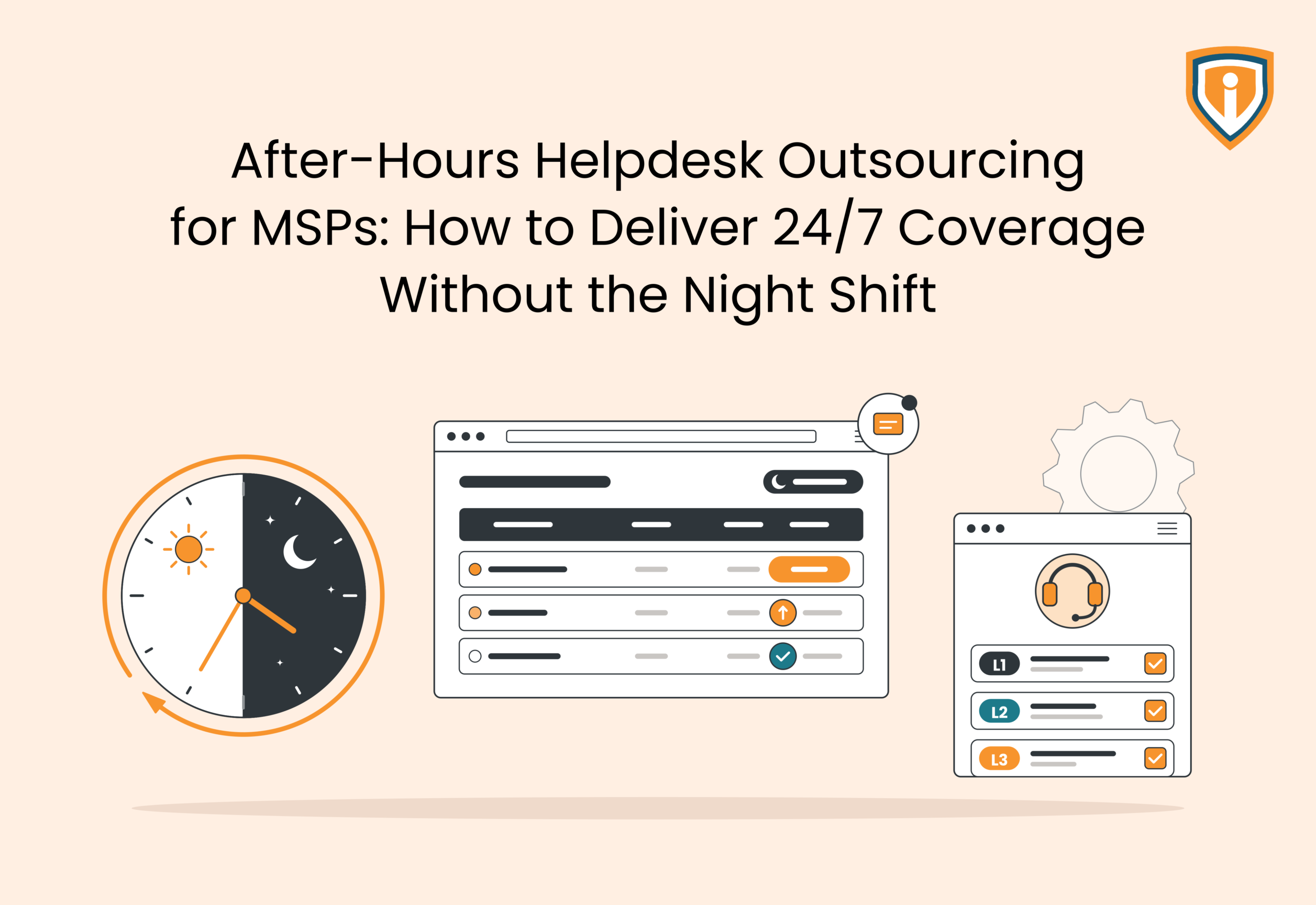
MSPs can deliver 24/7 helpdesk coverage by outsourcing after-hours support to a managed IT service provider. The external team handles incoming tickets, troubleshoots common technical issues, resolves problems within its agreed scope, and escalates critical incidents to the MSP. With defined SLAs, secure system access, clear documentation, and proper shift handovers, MSPs can extend support hours without hiring and managing an in-house night-shift team.
Key Takeaways
- Outsourcing of after-hours helpdesk enables MSPs to offer overnight, weekend, and holiday support to their clients without maintaining a separate night shift.
- An MSP may decide to outsource L1, L2, and L3 support services, depending on their support needs.
- SLAs, escalation process, and proper ticketing at night enable outsourcing companies to resolve issues without interrupting the support process during daytime.
- It’s vital that the chosen partner has the ability to resolve problems technically, secure system access, knowledge of MSP software, and sufficient personnel to take care of any overlapping issues.
- Infrassist offers 24/7 white label help desk services with separate L1, L2, and L3 technicians who are adept at using existing MSP tools and SOPs.
MSPs that provide 24/7 IT support tend to face one inevitable challenge: staffing.
Why is it a “challenge”? Mainly because client issues don’t always occur during business hours. For all you know, a server outage might strike at midnight, or a user might be unable to access critical applications over the weekend, or a network issue could spring up during a holiday.
Maintaining an in-house night shift means constantly hiring more technicians, managing their schedules, and covering the associated costs.
Fortunately, after-hours helpdesk outsourcing offers another way to manage this demand.
MSPs can extend their support coverage by partnering with an external team that handles incoming tickets, troubleshooting, and escalations outside regular working hours. This allows them to meet client support expectations without building a separate night-shift team.
The key is to find a partner that can work with existing tools, follow established SLAs, and handle support requests under the MSP’s brand.
Here’s how MSPs can make after-hours helpdesk outsourcing work.
Why 24/7 Helpdesk Coverage Is Difficult for MSPs to Manage In-House
Providing round-the-clock support requires more than having a technician available to answer calls. MSPs need skilled teams that can troubleshoot issues, access client environments, document their work, and meet response commitments at any hour. Maintaining this level of coverage with an internal team brings several challenges.
The cost of hiring and maintaining a night-shift team
Apart from paying salaries to the dedicated night shift staff, MSPs need to account for expenses related to:
- Recruitment and onboarding: Finding skilled personnel willing to work overnight and training them on the MSP’s tools, clients, and support procedures.
- Shift allowances and overtime: Covering additional compensation for night shifts, weekends, and public holidays.
- Leave and backup coverage: Making sure support doesn’t stop when a technician is sick, on leave, or unavailable.
- Training and supervision: Maintaining technical skills and monitoring service quality across different shifts.
The workload is another crucial consideration. If an MSP receives only a handful of overnight tickets, it may end up paying for several hours of technician availability without enough work to justify the staffing cost.
Technician fatigue and uneven support quality
Night shifts can affect both technician performance and team morale, especially when staff rotate between daytime and overnight schedules.
The challenge isn’t limited to tired technicians. For instance, smaller night teams may also have fewer people available to investigate complex incidents, review previous tickets, or seek assistance from colleagues. A routine issue can take longer simply because the right technical resource isn’t available.
Over time, this can affect response quality and make overnight support difficult to manage consistently.
SLA commitments don’t stop after business hours
If a client has a 24/7 support agreement, an incident raised at 2 AM still needs to be handled within the agreed response time.
For example, consider the plan of action when:
- A server outage affects several users overnight
- Employees can’t access Microsoft 365 before an early morning shift
- A firewall issue disrupts connectivity at a client location
- A critical ticket remains unattended until the MSP’s daytime team logs in
Delayed responses can lead to SLA breaches, unhappy clients, and a backlog of unresolved tickets. MSPs need a reliable way to handle these requests while their internal teams are offline.
What Is After-Hours Helpdesk Outsourcing for MSPs?
After-hours helpdesk outsourcing allows MSPs to transfer defined IT support responsibilities outside their regular operating hours to an external technical support provider. The outsourced team receives incoming requests, investigates issues, resolves tickets within its assigned scope, and escalates incidents that need further attention.
However, the MSP continues to own the client relationship and service agreement. The outsourcing partner only provides the additional technical resources needed to maintain support coverage.
What does an outsourced after-hours helpdesk handle?
The exact scope depends on the MSP’s requirements and the outsourcing agreement, which can include:
- Receiving support requests through phone, email, or chat
- Logging tickets and assigning priority levels
- Troubleshooting common end-user and IT issues
- Providing remote assistance to users
- Handling Microsoft 365, network, endpoint, and connectivity issues within the agreed scope
- Escalating unresolved or critical incidents to designated MSP contacts
- Documenting completed work and handing over pending tickets
For example, if a client’s employee cannot access Microsoft 365 at 11 PM, the outsourced technician will need to investigate the issue and attempt to resolve it using approved access and procedures. If the problem involves a wider service outage requiring additional authorization, the technician will have to follow the agreed escalation process.
After-hours helpdesk vs. 24/7 managed helpdesk support
These two support arrangements may sound similar, but they serve different requirements.
| Support Model | What It Covers |
| After-hours helpdesk | Support outside the MSP’s regular business hours, including nights, weekends, and holidays |
| 24/7 managed helpdesk | Helpdesk operations throughout the day and night, including regular business hours |
| 24/7 NOC monitoring | Continuous monitoring of networks, servers, and IT infrastructure, with alert investigation and incident response |
It’s important not to confuse helpdesk support with NOC services. A NOC monitors infrastructure and responds to system alerts, whereas a helpdesk handles user-reported problems, technical requests, and troubleshooting. Some incidents may involve both, but the responsibilities aren’t interchangeable.
What Should MSPs Outsource to an After-Hours Helpdesk?
MSPs don’t need to outsource their entire IT support operation. In many cases, the practical approach may be to hand over specific tasks that can be handled independently outside regular business hours.
Here are the main areas MSPs can consider outsourcing.
L1 support for routine end-user issues
L1 technicians handle initial support requests and common technical problems. These are usually issues that can be resolved using established troubleshooting procedures.
Examples include:
- Password resets and account lockouts
- Basic application and email troubleshooting
- Printer and connectivity issues
- User access and login problems
- Initial investigation of endpoint alerts
Having L1 coverage means users don’t have to wait until the next business day for routine issues to be addressed.
L2 support for advanced troubleshooting
L2 technicians handle issues involving system configurations, recurring technical problems, and more complex user or infrastructure requests.
Depending on the agreed scope, this can include:
- Microsoft 365 administration and configuration issues
- Network connectivity and firewall troubleshooting
- Server and endpoint-related problems
- RMM alerts requiring technical investigation
- Issues escalated from L1 support
L3 support for complex technical issues
L3 support involves specialist knowledge and is generally required for problems that cannot be resolved at lower support levels.
This may include complex server issues, advanced network configurations, firewall problems, and infrastructure-related incidents. MSPs should agree in advance which issues the outsourced L3 team can resolve independently and which require internal approval or escalation.
Some MSPs may only need L1 and L2 coverage, while others may require access to L3 technicians for specific client environments. Outsourcing can be arranged accordingly.
How Does After-Hours Helpdesk Outsourcing Work?
A typical outsourcing arrangement involves five key steps.
Step 1: Define coverage hours and support responsibilities
The MSP and outsourcing partner first agree on when support is required and what the outsourced team will handle.
This includes:
- Coverage hours, including weekends and public holidays
- Clients and IT environments covered by the agreement
- Supported ticket categories and technical responsibilities
- Issues that require internal approval or escalation
For instance, an MSP may outsource weekday overnight support and weekend coverage while retaining its existing daytime helpdesk.
Step 2: Provide access to the MSP’s tools and documentation
The outsourced technicians need the right information and system access to troubleshoot client issues. This usually involves onboarding them to the MSP’s existing technology stack.
Depending on the arrangement, this may include:
- PSA and ticketing platforms such as ConnectWise
- RMM tools such as Datto, N-able, Kaseya, Atera, or NinjaOne
- Client-specific documentation and knowledge bases
- Approved remote access tools and administrative permissions
The provider should also understand the MSP’s naming conventions, ticket categories, and documentation requirements. Otherwise, the daytime team may struggle to make sense of the work completed overnight.
Step 3: Receive and assess incoming tickets
When a support request arrives, the outsourced technician records the issue, identifies the affected user or system, and checks its urgency.
For instance, a password reset affecting one employee and a server outage affecting an entire client environment shouldn’t receive the same priority.
The technician assigns the ticket according to the MSP’s classification rules and begins the investigation.
Step 4: Troubleshoot, resolve, or escalate
The technician investigates the issue using the available tools and documented procedures.
If the problem falls within the agreed support scope, it can be resolved without involving the MSP’s internal team. If it requires additional permissions, specialist knowledge, or a decision from the MSP, the technician follows the escalation process.
The distinction matters. Outsourcing should reduce the number of tickets reaching the internal team, not simply create another layer through which every ticket has to pass.
Step 5: Update tickets and hand over unresolved issues
Any ticket that remains open at the end of the coverage period needs a proper handover.
The outsourced technician should record:
- The original issue and its business impact
- Troubleshooting steps already completed
- Current ticket status and outstanding actions
- Any pending approvals or required resources
- The next action expected from the MSP’s daytime team
This gives the internal team enough context to continue working without repeating the initial investigation.
How Can MSPs Maintain SLA Compliance with an Outsourced Helpdesk?
The MSP should establish clear performance expectations before handing over support responsibilities. Here’s what this means.
Define response and resolution targets
Response time and resolution time are two different measurements. A ticket may be acknowledged within 15 minutes but take several hours to resolve.
MSPs should define both targets for different ticket priorities.
For example, an agreement might specify:
- Critical incidents: 15-minute response target
- High-priority tickets: 30-minute response target
- Medium-priority tickets: 2-hour response target
- Low-priority tickets: Next-business-day response target
Remember, these are not the universal SLA standards, but only illustrative targets. The actual commitments should reflect the MSP’s client contracts and the outsourcing partner’s agreed capacity.
Establish escalation ownership
An escalation process needs to specify who takes responsibility when the outsourced team cannot resolve an issue.
The agreement should cover:
- Which incidents require immediate escalation
- Who receives critical incident notifications
- How the team proceeds if the primary contact doesn’t respond
- Whether the outsourced technician continues troubleshooting while waiting
- Who assumes responsibility for the ticket after escalation
For example, if a client-wide network outage requires access or authorization that only the MSP can provide, the outsourced technician should know exactly whom to contact and how quickly the issue needs to be raised.
Monitor performance through ticket reports
MSPs should review actual ticket data rather than rely on general service updates from their outsourcing partner.
Useful metrics include:
| Metric | What It Tells the MSP |
| First response time | How quickly tickets are acknowledged |
| Mean time to resolution (MTTR) | How long tickets take to resolve, on average |
| SLA compliance rate | Percentage of tickets handled within agreed targets |
| First-contact resolution rate | Percentage of tickets resolved without further escalation |
| Escalation rate | How many tickets require intervention from the MSP |
| Reopened tickets | How often previously resolved issues return |
These figures should be reviewed regularly, ideally alongside individual ticket records. A high resolution rate, for instance, isn’t useful if the same issues keep returning.
Agree on client communication responsibilities
The MSP and outsourcing partner should also decide who communicates with end users during after-hours incidents.
This includes ticket acknowledgments, progress updates, resolution notifications, and critical incident communication. If the provider offers white-label support, technicians can communicate under the MSP’s brand using its approved procedures.
The MSP should also retain visibility into open tickets and major incidents to stay aware of what’s happening across client environments even when its internal team isn’t on duty.
What Should MSPs Look for in an After-Hours Helpdesk Partner?
Here are five things to check before entering an outsourcing agreement.
1. Actual technical resolution capabilities
A support partner that only acknowledges tickets and forwards them to your MSP isn’t taking much work off your hands. Find out from the provider exactly what its technicians can resolve without involving your internal team.
Ask for examples of issues handled independently, the technical scope covered at each support level, and the situations that require escalation. This will help establish whether the provider can handle the kind of tickets your clients actually raise.
2. Familiarity with different client environments
MSPs rarely support identical IT environments across their entire client base. One client may use Microsoft 365 and Fortinet firewalls, while another relies on a different RMM platform, backup solution, or network setup.
The outsourcing partner should be comfortable working across different technology stacks. It should also be able to maintain client-specific documentation and follow separate SOPs rather than applying the same troubleshooting procedure everywhere.
3. Secure access to client systems
Outsourced technicians may need access to administrative accounts, endpoints, servers, and network devices. Hence, access management is an important part of the selection process.
Ask how the provider:
- Stores and shares client credentials
- Controls technician access to individual systems
- Handles privileged accounts and authentication
- Records and reviews access to client environments
- Revokes access when a technician’s responsibilities change
Don’t make the mistake of treating this aspect as a minor onboarding detail. Your clients’ systems and information are involved.
4. Staffing arrangements during overlapping incidents
A provider may have enough technicians to handle normal ticket volumes but struggle when multiple critical incidents arrive together.
Find out whether the support team has backup resources, how simultaneous incidents are assigned, and what happens when the primary technician is already handling another case. Ask whether the provider can demonstrate its shift coverage and backup arrangements.
Reporting that shows what the team actually resolved
Monthly ticket counts don’t tell the whole story. MSPs should be able to see which issues were resolved, which required internal intervention, and where tickets spent most of their time.
Ask for sample reports covering resolution rates, escalation patterns, recurring issues, SLA performance, and tickets carried forward between shifts. These records help identify whether the outsourcing arrangement is reducing internal workload or simply moving tickets between teams.
Outsourced After-Hours Support vs. an In-House Night Shift
The following differences become clearer when you look at what each arrangement requires.
| Factor | In-house Night Shift | Outsourced After-hours Support |
| Recruitment | MSP handles hiring and onboarding | Provider supplies trained technicians |
| Staffing | MSP manages shifts, leave, and replacements | Provider manages its own shift schedules |
| Technical coverage | Limited to the skills of the hired team | Can include access to multiple support levels |
| Training | MSP trains technicians on its systems and clients | Provider trains technicians to follow the MSP’s SOPs |
| Infrastructure | MSP provides workstations, tools, and licenses | Provider operates within the agreed tool and access arrangement |
| Management | MSP supervises overnight staff | Provider manages its support team, while the MSP monitors service delivery |
| Scaling | Requires additional recruitment as demand grows | Coverage can be adjusted through the service agreement |
| Client interaction | Internal technicians represent the MSP | White-label technicians can represent the MSP’s brand |
When does maintaining an in-house night shift make sense?
An internal night shift may be worth the investment when an MSP has enough consistent overnight work to keep technicians occupied.
For instance, an MSP supporting clients with round-the-clock operations may receive regular requests involving production systems, infrastructure, and critical applications. If these incidents require detailed knowledge of proprietary systems or frequent coordination with internal teams, dedicated in-house technicians may be more practical.
Direct control over staffing and technical decisions can also matter when client contracts impose specific restrictions on third-party access.
When is outsourcing the more practical option?
Outsourcing is worth considering when overnight ticket volumes are inconsistent or don’t justify maintaining a dedicated team.
Consider an MSP that receives 8 to 10 after-hours tickets on some nights but only two or three on others. Hiring technicians for full overnight shifts means paying for their availability even during quieter periods.
The MSP also has to account for recruitment, night-shift compensation, leave coverage, training, and supervision.
An outsourcing arrangement provides access to an existing support team without requiring the MSP to manage those staffing responsibilities itself. The commercial comparison should include the provider’s fees and the actual scope of coverage, not just compare an outsourcing quote with one technician’s salary.
Can MSPs combine both models?
Yes. An MSP can outsource routine L1 support, common troubleshooting, and defined L2 tasks while keeping critical infrastructure decisions and highly specialized incidents with its internal team.
This arrangement works particularly well when the MSP wants to reduce overnight ticket volume without giving up control of sensitive client environments or complex technical work.
How Infrassist Helps MSPs Deliver 24/7 Helpdesk Coverage
Infrassist offers white-label managed helpdesk services with 24/7/365 availability to MSPs that need additional helpdesk capacity, without recruiting and managing an overnight team.
24/7 helpdesk coverage across time zones
Infrassist provides helpdesk support across different time zones, including nights, weekends, and holidays.
Support is available through phone, email, and chat, allowing technicians to handle incoming requests through the agreed channels.
Dedicated L1, L2, and L3 technicians
Infrassist offers dedicated helpdesk resources across three support levels:
- L1 technicians: Handle first-line support, desktop and application installation, basic RMM alerts, backup checks, and Active Directory and Microsoft 365 user administration.
- L2 technicians: Handle advanced desktop support, server administration, firewall management, and escalated technical issues.
- L3 technicians: Take on complex server troubleshooting, firewall configuration, mail migrations, and Hyper-V and VMware administration.
Support that works with your existing tools and SOPs
Infrassist follows a platform-agnostic approach. Its technicians work with the MSP’s existing PSA, ticketing, RMM, and documentation tools instead of requiring the MSP to change its technology stack.
The support scope can also be customized to match the MSP’s SLAs and SOPs. Where required, Infrassist maintains shift handovers so that open tickets and pending actions are passed on to the appropriate team.
White-label support under your MSP’s brand
Infrassist works as an extension of the MSP’s internal team. Its technicians can handle client interactions through the MSP’s preferred communication channels and follow its established support procedures.
The MSP retains ownership of its client relationships while Infrassist provides the technical support resources behind the scenes.
Deliver 24/7 Helpdesk Support Without Hiring a Night Shift
Extend after-hours coverage with skilled technicians, clear escalation processes, and support aligned with your SLAs.
Conclusion
MSPs don’t need to have their own night shift employees to provide 24/7 helpdesk services. It’s possible to achieve that with a proper outsourcing service provider and to get the work done even without extra efforts of hiring new personnel.
It’s essential to find a team that knows how to work with MSPs, works with current tools, and solves problems rather than just passes them further. This is what Infrassist does by providing 24/7 white label helpdesk services for MSPs. Contact Infrassist for any questions concerning after-hours helpdesk services.