The decision to replace the firewall can arise from multiple concerns. For instance, licensing costs could no longer make sense, or the security requirements could have changed over time.
Also, business acquisitions can leave you managing multiple firewall vendors. In some cases, the existing platform might work fine, but the long-term roadmap could feel wayward.
But the most interesting part of it all is the actual migration.
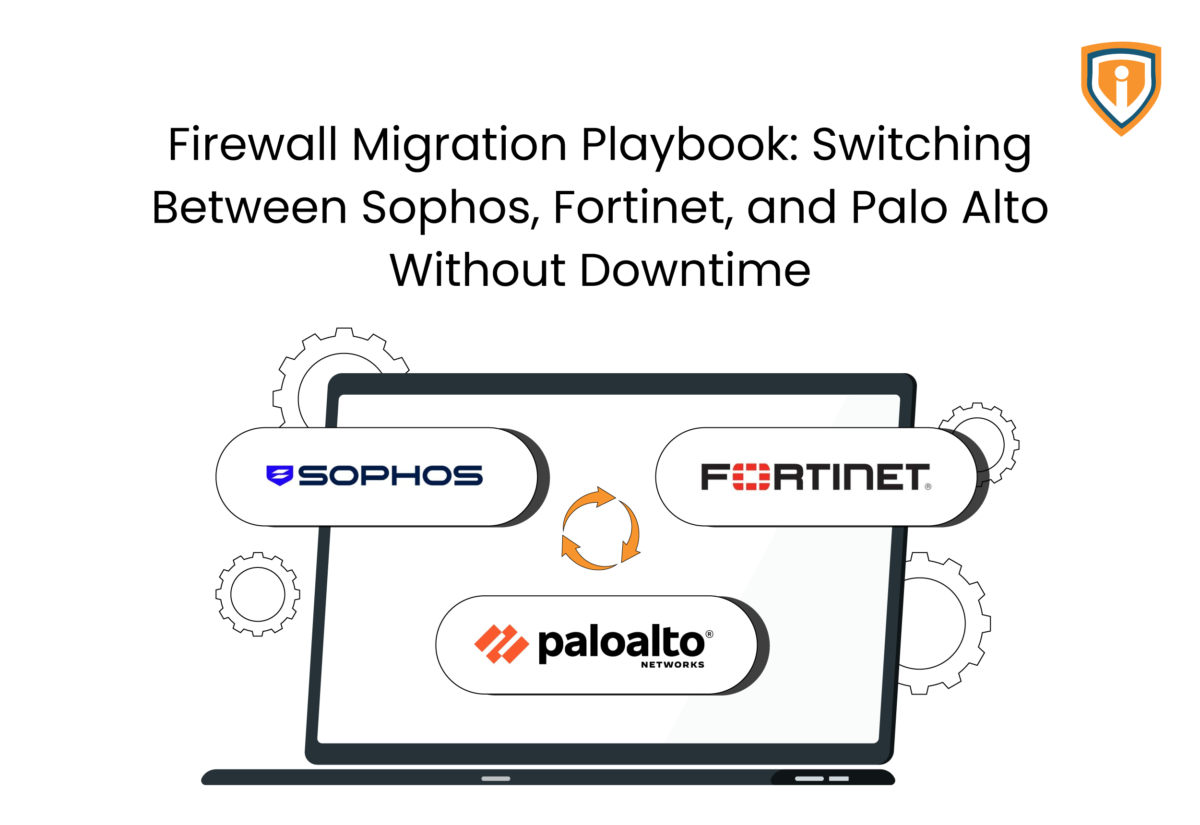
Moving from Sophos to Fortinet or Palo Alto might look straightforward on paper. In production, however, things rarely unfold that neatly.
A rule that went untouched for half a decade might actually be supporting a critical application. Meanwhile, a vendor-specific feature can start behaving unpredictably on the new platform. Or remote users might start reporting issues that never appeared during testing.
Basically, your project could turn into a troubleshooting exercise.
That’s why a successful firewall migration has less to do with the new firewall and more to do with understanding the old one.
Before any policies are moved, teams need a clear picture of application dependencies, like Network Address Translation (NAT) rules, Virtual Private Network (VPN) configurations, routing decisions, and inspection settings. Miss one piece and you’ll probably find it during the cutover window.
Whether you’re handling a planned firewall replacement or a large-scale firewall migration, the objective must stay the same: move security controls from one platform to another without creating outages, security gaps, or a flood of support tickets.
Let’s find out more about firewall migrations, the common reasons they can fail, and how to switch between providers like Sophos, Fortinet, and Palo Alto without downtime.
Why Firewall Migrations Fail
Most of the time, migration failures spring from faulty assumptions made during planning. It’s not uncommon for teams to assume that the documentation is accurate, or that the existing rules are understood, or testing covered everything important. Production traffic, however, often proves otherwise.
Incomplete Visibility into Existing Firewall Policies
Firewall policies tend to grow faster than documentation.
- Rules added for temporary projects often remain active for years.
- Legacy applications continue using policies nobody wants to remove.
- Duplicate or overlapping rules create confusion during migration.
- Network objects frequently reference subnets that are no longer relevant.
- Security teams often discover dependencies only after reviewing live traffic logs.
- During a firewall migration, every unnecessary rule increases migration effort and validation time.
Underestimating Application Dependencies
Applications rarely depend on a single traffic flow.
- Internal applications often communicate with databases, identity providers, and third-party services simultaneously.
- Site-to-site Virtual Private Network (VPN) connections may support multiple business systems.
- Cloud applications frequently rely on integrations that aren’t documented properly.
- Security inspection settings can affect application behavior differently across vendors.
- Sophos, Fortinet, and Palo Alto handle traffic inspection differently, which can expose previously hidden dependencies.
- One missed dependency can trigger hours of troubleshooting during cutover.
Poor Testing and Rollback Preparation
Connectivity testing alone doesn’t tell the full story.
- Successful pings do not confirm application functionality.
- User authentication workflows should be tested separately.
- File transfers, reporting tools, and integrations require validation.
- Remote access scenarios should be verified from multiple locations.
- Configuration backups should be available before any production changes begin.
- Rollback procedures should be documented and understood by everyone involved.
- The fastest migrations are usually the ones with the clearest recovery plans.
Building a Successful Firewall Migration Plan
Most successful migrations are decided before the maintenance window starts. The implementation phase gets most of the attention, but planning is where the risk is really reduced.
Audit the Existing Environment
The first step is understanding what the current firewall is actually doing.
- Review security policies currently in production.
- Inventory Network Address Translation (NAT) rules and exceptions.
- Document all site-to-site and remote-access VPN configurations.
- Review routing policies and static routes.
- Identify authentication and directory integrations.
- Examine logging and compliance requirements.
- Remove obsolete policies before migration wherever possible.
Identify Business-Critical Traffic
Not every application creates the same level of business impact.
- Prioritize customer-facing platforms.
- Document critical business applications and services.
- Identify dependencies between offices, data centers, and cloud environments.
- Review remote access requirements for employees and contractors.
- Validate traffic flows supporting revenue-generating systems.
- Create a testing priority list based on operational importance.
Define Success Criteria
Migration success should be measurable before deployment begins.
- Confirm application accessibility requirements.
- Establish acceptable performance baselines.
- Define VPN connectivity expectations.
- Verify security inspection requirements.
- Determine logging and reporting requirements.
- Identify compliance-related validation checks.
- Ensure all stakeholders agree on the success criteria before cutover.
Create a Rollback Strategy
Every firewall migration plan should include a documented recovery process.
- Back up existing firewall configurations.
- Verify restoration procedures before migration day.
- Define rollback triggers and decision points.
- Assign responsibilities during recovery scenarios.
- Document communication procedures for stakeholders.
- Establish escalation paths for critical issues.
- Treat rollback planning as part of the migration, not as an afterthought.
The Complete Firewall Migration Checklist
In our experience, most migration problems can be traced back to something that was skipped, not something that was unknown. A structured firewall migration checklist reduces guesswork and forces teams to validate the details that usually get overlooked.
Before Migration
Preparation work determines how much pressure the team faces during cutover.
- Review all active firewall policies and remove obsolete entries.
- Audit Network Address Translation (NAT) rules and service objects.
- Document all Virtual Private Network (VPN) tunnels and dependencies.
- Export and back up the current firewall configuration.
- Verify firmware versions and licensing on the target firewall.
- Identify applications that require post-migration validation.
- Review routing configurations and failover settings.
- Notify stakeholders about maintenance windows and potential impacts.
- Create a rollback plan and confirm responsibilities.
During Migration
The objective during implementation is simple: move configurations without introducing unexpected behavior.
- Deploy approved security policies.
- Recreate NAT rules and routing configurations.
- Migrate VPN settings and verify tunnel establishment.
- Validate internet access across key user groups.
- Test business-critical applications immediately after policy deployment.
- Monitor logs for denied traffic and policy mismatches.
- Verify authentication services and directory integrations.
- Compare traffic behavior against pre-migration baselines.
After Migration
The migration is not complete when traffic starts flowing.
- Review firewall logs for abnormal activity.
- Investigate unexpected deny events.
- Confirm application performance with business owners.
- Validate reporting and compliance-related logging.
- Monitor resource utilization on the new firewall.
- Fine-tune policies where required.
- Update network diagrams and operational documentation.
- Close migration tasks only after all validation checks pass.
| Migration Phase | Primary Focus |
| Pre-Migration | Discovery, cleanup, backups, planning |
| Migration | Policy deployment, validation, monitoring |
| Post-Migration | Optimization, verification, documentation |
Handling Firewall Rule Migration and Firewall Policy Migration
Contrary to what most people might think, hardware replacement is usually straightforward. The challenge is that security policies rarely translate perfectly between vendors. What works one way in Sophos may require a different structure in Fortinet or Palo Alto. Here’s what to keep in mind at this stage.
Clean Up Existing Rules Before Migration
Migrating every existing rule rarely makes sense.
- Identify policies that have not been used recently.
- Remove duplicate rules wherever possible.
- Consolidate overlapping policy entries.
- Review temporary exceptions created for past projects.
- Verify ownership of business-critical rules.
- Eliminate unused network and service objects.
- Reduce policy sprawl before moving configurations.
Many organizations discover that a (small) part of their rule base can be removed before migration even begins.
Translate Policies Between Vendors
Policy translation requires more than copying source and destination values.
- Compare how each platform handles security policies.
- Review differences in object structures and object groups.
- Validate NAT behavior after policy conversion.
- Examine inspection profiles and threat protection settings.
- Review application-control policies individually.
- Confirm logging and alerting behavior on the new platform.
- Test any vendor-specific functionality that does not have a direct equivalent.
This becomes particularly important when moving between Sophos, Fortinet, and Palo Alto, where similar outcomes are often achieved through different policy structures.
Validate Every Critical Policy
No migration should rely solely on configuration reviews.
- Test internet access policies.
- Verify VPN connectivity for all locations.
- Confirm remote user access.
- Validate application-specific traffic flows.
- Test internal segmentation policies.
- Review administrative access controls.
- Check security logging and reporting functionality.
- Compare policy behavior against production requirements.
A rule that looks correct in the configuration may behave differently once production traffic starts hitting it.
Using Firewall Migration Tools to Accelerate the Process
Manual migrations are possible, but they’re also time-consuming and more prone to human error, especially when large policy sets are involved. Firewall migration tools become useful in such cases.
That said, automation should be viewed as a starting point rather than the final validation step.
Benefits of a Firewall Migration Tool
Migration utilities can reduce repetitive work significantly.
- Convert large rule sets faster than manual recreation.
- Reduce configuration-entry errors.
- Preserve object relationships during migration.
- Speed up policy analysis and reporting.
- Improve consistency across large environments.
- Generate documentation that supports validation efforts.
- Shorten migration timelines for complex deployments.
Common Vendor-Specific Migration Tools
Most major firewall vendors provide utilities to assist with migrations.
- Sophos provides migration assistance for supported environments.
- Fortinet offers tools designed to convert configurations from other platforms.
- The Palo Alto firewall configuration migration tool can help translate policies and objects into Palo Alto-compatible formats.
- Third-party firewall migration tools are also available for multi-vendor environments.
- Some managed service providers (MSPs) use specialized migration platforms when handling large-scale customer transitions.
These tools can accelerate the process, but they rarely produce a deployment-ready configuration without additional review.
When Manual Review Is Still Necessary
Automation has limits. It’s important to remember that:
- Custom NAT configurations often require manual validation.
- Complex VPN deployments should always be reviewed separately.
- Legacy application dependencies may not translate correctly.
- Security inspection profiles frequently need tuning after migration.
- Cloud integrations should be validated independently.
- Vendor-specific features may not have direct equivalents.
- Compliance-related controls often require additional verification.
The reality is that migration tools save time. They do not eliminate the need for engineering review. Teams that understand that distinction tend to avoid unpleasant surprises during implementation.
Best Practices for Next-Generation Firewall Migration
As mentioned, firewall migration projects tend to fail when the existing environment is not fully understood before changes begin. Also, most issues show up when teams assume the new firewall will behave like the old one. But a Next-Generation Firewall (NGFW) migration is not just a hardware swap. It changes how traffic is inspected, classified, and enforced. Let’s find out more in this regard.
Re-evaluate Security Policies
Most environments carry forward policy decisions made over years of incremental change. Very few are still aligned with actual application usage.
- Port-based rules often persist even when application behavior has evolved.
- User and group-based access controls may be partially documented or inconsistently applied.
- Threat prevention settings are frequently tuned for past conditions, not current risk profiles.
- SSL inspection can introduce performance variations that only appear under production load.
- Web filtering rules often reflect outdated business requirements.
- Policy sets typically include rules that no longer match active traffic flows.
The key issue is not complexity alone, but the uncertainty around what is still actively required.
Optimize Rather Than Replicate
A direct replication approach often transfers inefficiencies into the new environment. Migration is usually the only practical point to address accumulated configuration drift.
- Retain only policies tied to active applications and services.
- Remove rules associated with retired or deprecated systems.
- Consolidate overlapping or redundant policy entries where possible.
- Review and standardize inconsistent object group structures.
- Exclude temporary exceptions that no longer serve a defined purpose.
- Normalize naming conventions to improve operational clarity post-migration.
The objective is not to mirror the existing state, but to establish a controlled and current baseline.
Validate Security Services
Security services often behave differently across firewall platforms, even when configurations appear equivalent.
- Intrusion Prevention System (IPS) policies must be validated under real traffic conditions.
- Malware detection and threat inspection may produce different sensitivity outcomes.
- URL filtering behavior can vary depending on vendor implementation.
- SSL/TLS inspection may impact application latency more than expected.
- Logging structures may require adjustment for accurate visibility and correlation.
- Security Information and Event Management (SIEM) integration should be verified for data consistency.
These differences typically emerge only during live traffic validation, not in lab testing.
How MSPs and IT Teams Can Minimize Downtime During a Firewall Replacement
Downtime during firewall replacement can be the result of incomplete validation, compressed timelines, or insufficient operational visibility during cutover. A structured approach significantly reduces exposure during transition. Here’s what you should do.
Use Parallel Deployment Where Possible
Running legacy and target environments in parallel provides a controlled validation path before production cutover.
- Deploy the new firewall alongside the existing environment.
- Validate traffic flows using mirrored or staged routing.
- Test policy behavior prior to full production transition.
- Maintain the legacy firewall during early validation phases.
- Compare logs between both systems to identify inconsistencies.
- Shift traffic gradually instead of executing a full cutover at once.
This approach reduces dependency on a single cutover event.
Schedule Cutovers Strategically
Timing plays a critical role in migration stability. Execution windows should reflect business activity patterns, not engineering convenience.
- Schedule migrations during low-traffic operational periods.
- Avoid peak usage hours and critical business cycles.
- Align timing with stakeholder availability and support readiness.
- Ensure real-time monitoring resources are active during cutover.
- Allow buffer time for validation and unexpected behavior.
- Avoid overlapping firewall migration with other infrastructure changes.
Proper scheduling reduces both technical and operational pressure during transition.
Monitor Closely After Go-Live
Post-migration monitoring is where most configuration gaps become visible.
- Track firewall logs for unexpected deny events.
- Monitor application performance under real user load.
- Validate Virtual Private Network (VPN) stability across sites.
- Observe system resource utilization on the new firewall.
- Confirm end-user access across critical applications.
- Implement rapid policy adjustment processes where required.
The success of a migration is ultimately confirmed in the hours following cutover, not at the moment of deployment.
Take the Risk Out of Firewall Migration
Plan, validate, and execute firewall transitions without disrupting business-critical operations.
Conclusion
Firewall migration outcomes are determined long before cutover begins. Most issues can be traced back to incomplete visibility into existing configurations or assumptions made during planning.
All in all, a well-structured firewall migration approach reduces uncertainty, improves predictability, and limits disruption during transition. After all, execution matters, but only adequate preparation determines stability.